Настройки логирования
SDK предоставляет гибкие возможности для логирования действий пользователя, чтобы упростить отладку и мониторинг работы SDK. Логи записываются в файлы по сессиям (запускам). В случае возникновения проблем с работой SDK их необходимо отправить в нашу службу поддержки.
Вы можете настроить уровень логирования при инициализации SDK с помощью настроек ChatLoggerConfig.
По умолчанию логирование отключено, рекомендуется включать его только в тестовых сборках.
Базовая настройка
В базовом случае достаточно задать уровень логирования:
Настройка уровня логирования:
let loggerConfig = ChatLoggerConfig(logLevel: .all) // Логировать все сообщения

// Или:
// let loggerConfig = ChatLoggerConfig(logLevel: .error) // Логировать только ошибки

let chatCenterSdk = ChatCenterUISDK(providerUid: "YOUR_PROVIDER_UID",
                                    chatConfig: chatConfig,
                                    loggerConfig: loggerConfig)
Доступные уровни логирования (ChatLoggerConfig.LogLevel):
.off: Отключает все логирование от SDK..rest: Логируются только данные REST сетевых запросов..webSocket: Логируются только сообщения из WebSocket..error: Логируются только ошибки, которые могут привести к сбоям или некорректной работе..info: Логируется общая информация о работе SDK, такая как успешные операции, изменения состояния и т.д..userInterface: Логируются только события из UI, действия пользователя..all: Включает логирование всех доступных уровней сообщений.
Рекомендации по использованию логирования:
- В процессе разработки и отладки рекомендуется использовать уровень
.allдля получения максимально полной информации. - Логирование должно быть включено на тестовых сборках для передачи нам информации для анализа в случае нахождения багов.
- В релизных сборках рекомендуется устанавливать уровень логирования на
.off, чтобы избежать вывода в консоль и потенциального раскрытия чувствительной информации. - Логи SDK выводятся в стандартную консоль Xcode. Вы можете использовать фильтры в консоли для удобного просмотра сообщений от ChatCenterUI SDK.
Для упрощения диагностики возможных проблем, рекомендуется сразу включить логирование .all для режима отладки и тестовых сборок.
Дополнительные настройки
В случае необходимости можно использовать дополнительные параметры для более тонкой настройки:
Инициализация:
init(logLevel: LogLevel = .off, logFileSize: Int = 2, logFilesCount: Int = 10)
logLevel: Уровень логирования. По умолчанию.off(логирование отключено). Возможные значения определяются перечислениемLogLevel.logFileSize: Максимальный размер файла лога в мегабайтах. По умолчанию2МБ.logFilesCount: Максимальное количество файлов логов, которые будут храниться. По умолчанию10.
Пример использования:
// Включение логирования с уровнем .info
let loggerConfig = ChatLoggerConfig(logLevel: .info, logFileSize: 5, logFilesCount: 5)
let chatConfig = ChatConfig(transportConfig: chatTransportConfig, networkConfig: ChatNetworkConfig())
let chatCenterSDK = ChatCenterUISDK(providerUid: "YOUR_PROVIDER_UID", chatConfig: chatConfig, loggerConfig: loggerConfig)
Отправка логов
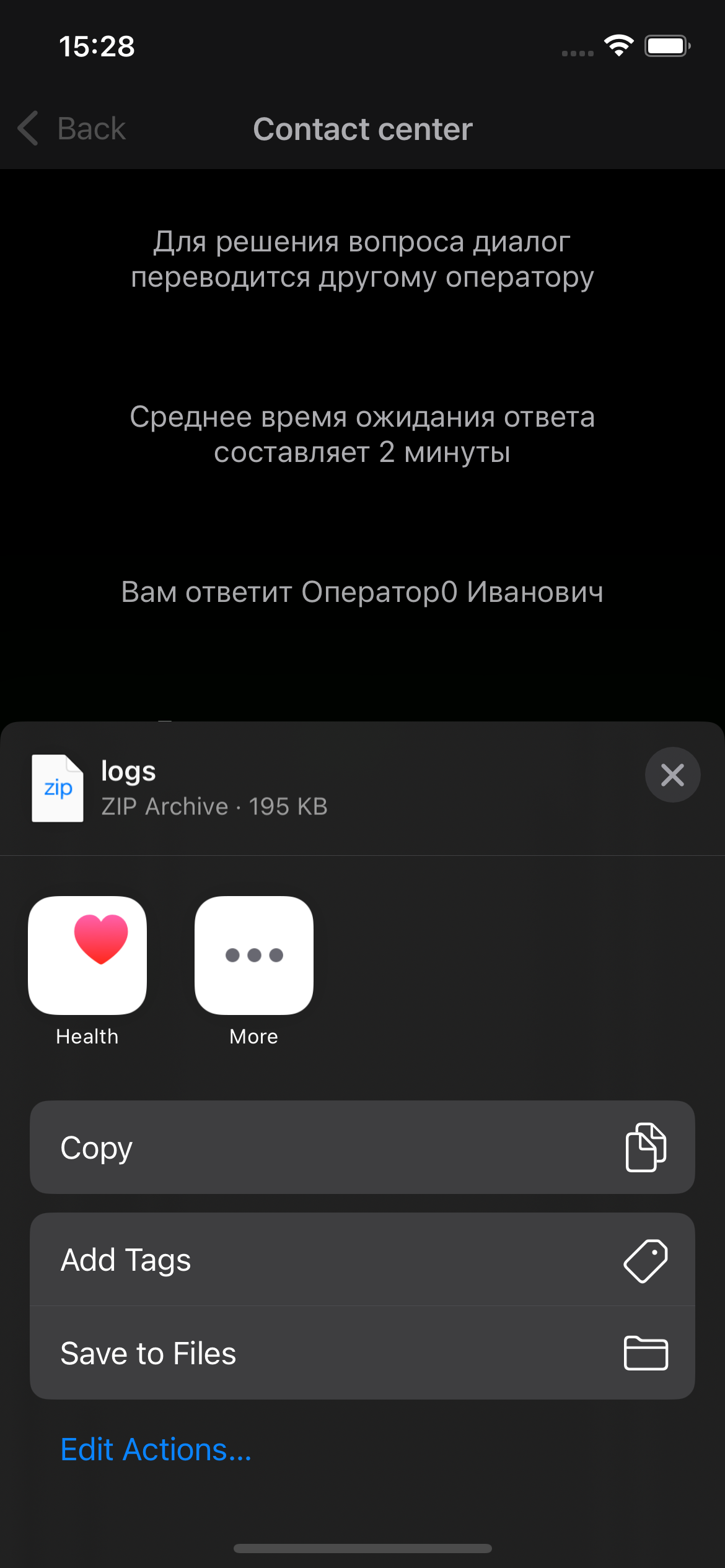
Для удобства доступа к логам в SDK реализована возможность их отправки через меню «Поделиться».
Для вызова меню логирование должно быть включено
Для доступа к меню необходимо потрясти телефон на экране чата. Это вызовет отображение меню, из которого файл с логами можно отправить любым удобным способом, доступном на данном устройстве.