Локализация
В СДК по умолчанию поддерживаются русская и английская локализации.
Для добавления поддержки нового языка или изменения текущего перевода, необходимо:
- Добавить свой файл с переводом в бандл (приложения/фреймворка).
- Указать его в
ChatLocalizationConfigпри инициализации СДК.
Пример настройки:
        // Инициализация СДК
        let chatCenterSdk = ChatCenterUISDK(providerUid: "providerUid",
                                            chatConfig: chatConfig,
                                            loggerConfig: ChatLoggerConfig(logLevel: .all))

        // Настройка локализации
        chatCenterSdk.localizationConfig = ChatLocalizationConfig(bundle: Bundle.main, tableName: "DemoLocalizable")
📋 Ключи локализации
| Категория | Ключ | Значение по умолчанию | Пример использования / Примечания | Использование |
|---|---|---|---|---|
| Кнопки | action.title_ok | OK | Используется в диалогах подтверждения (например, “Вы уверены?” → OK/Отмена) | 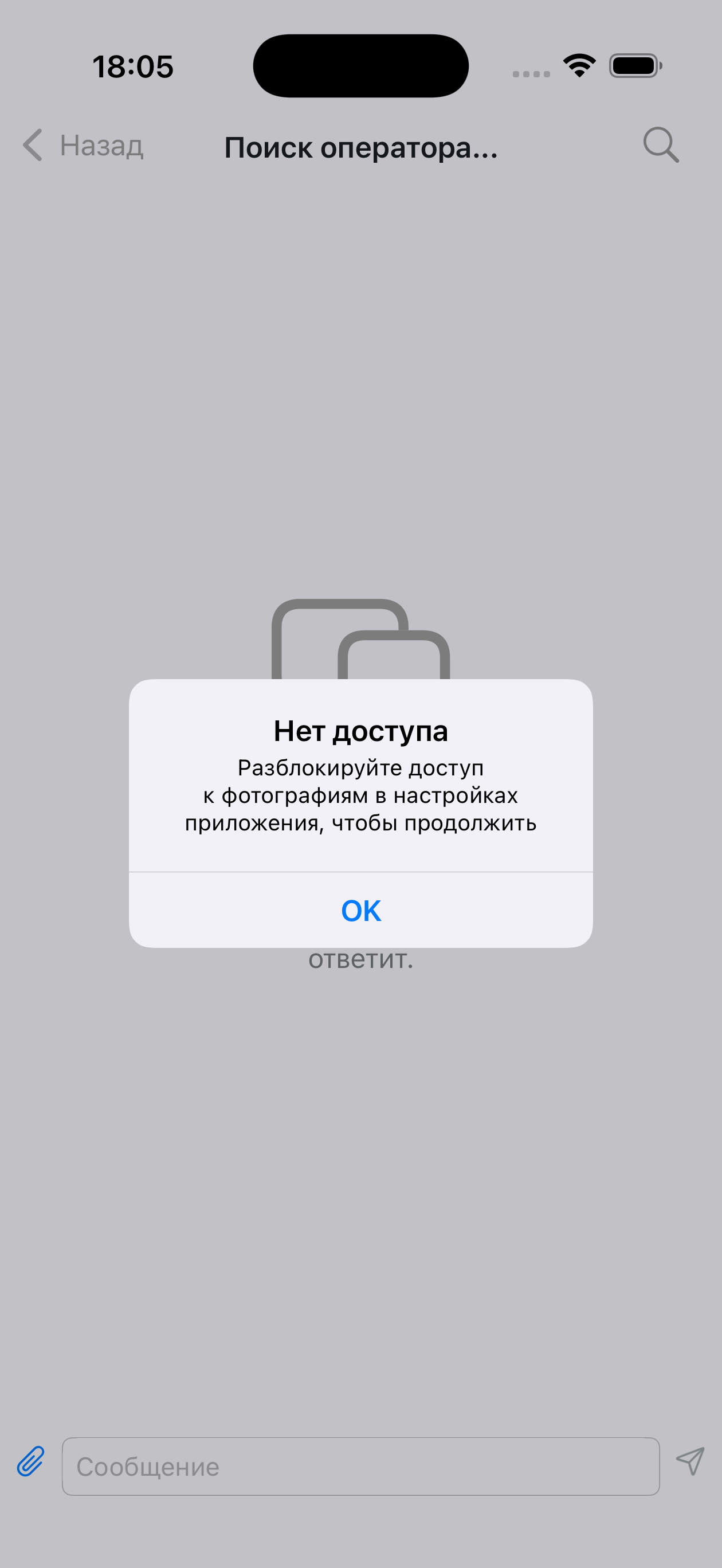 |
action.title_yes | Да | В вопросах типа “Продолжить? Да/Нет” | 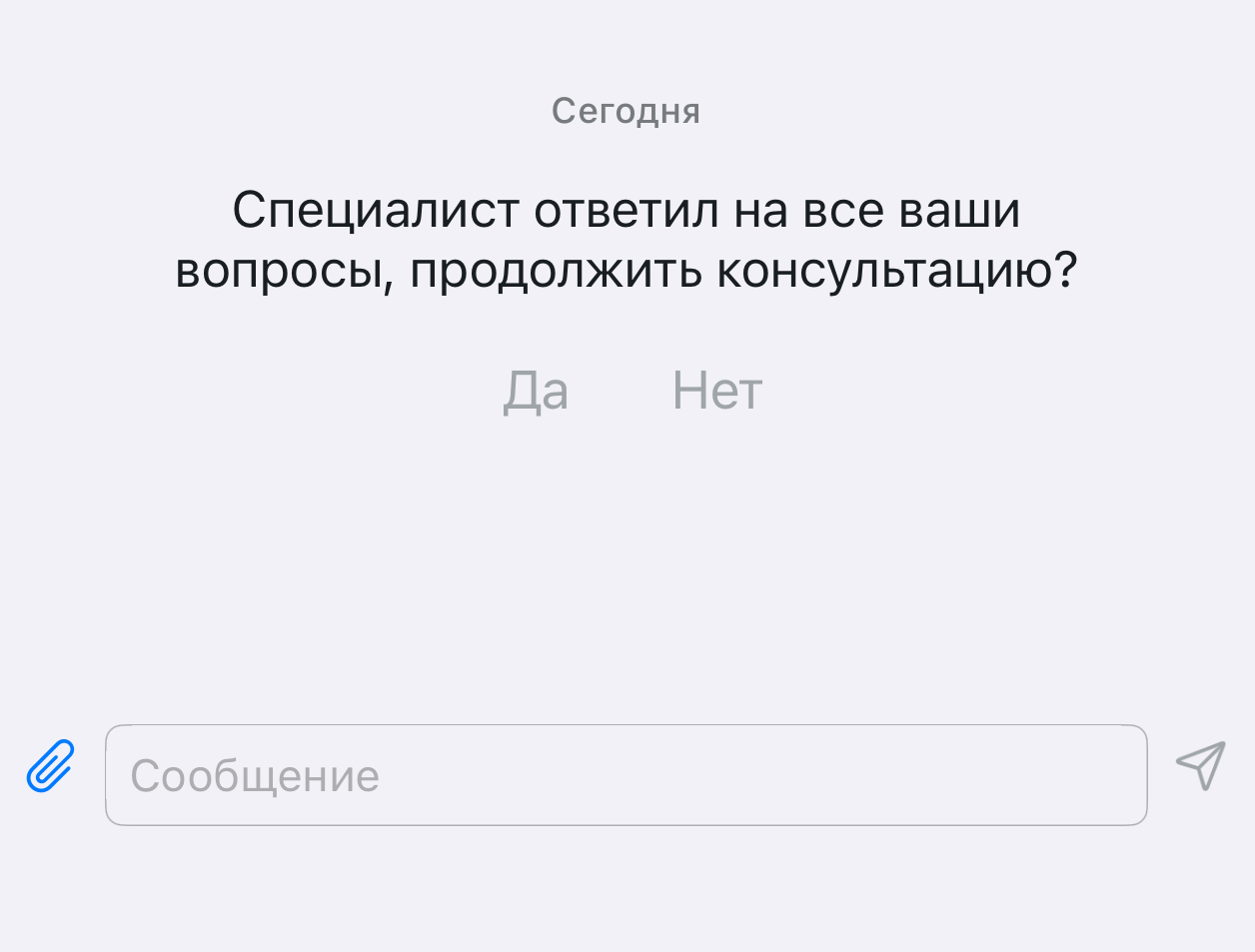 | |
action.title_no | Нет | В вопросах типа “Продолжить? Да/Нет” | | |
action.title_cancel | Отмена | В модальных окнах, меню, загрузках, отправке сообщений | 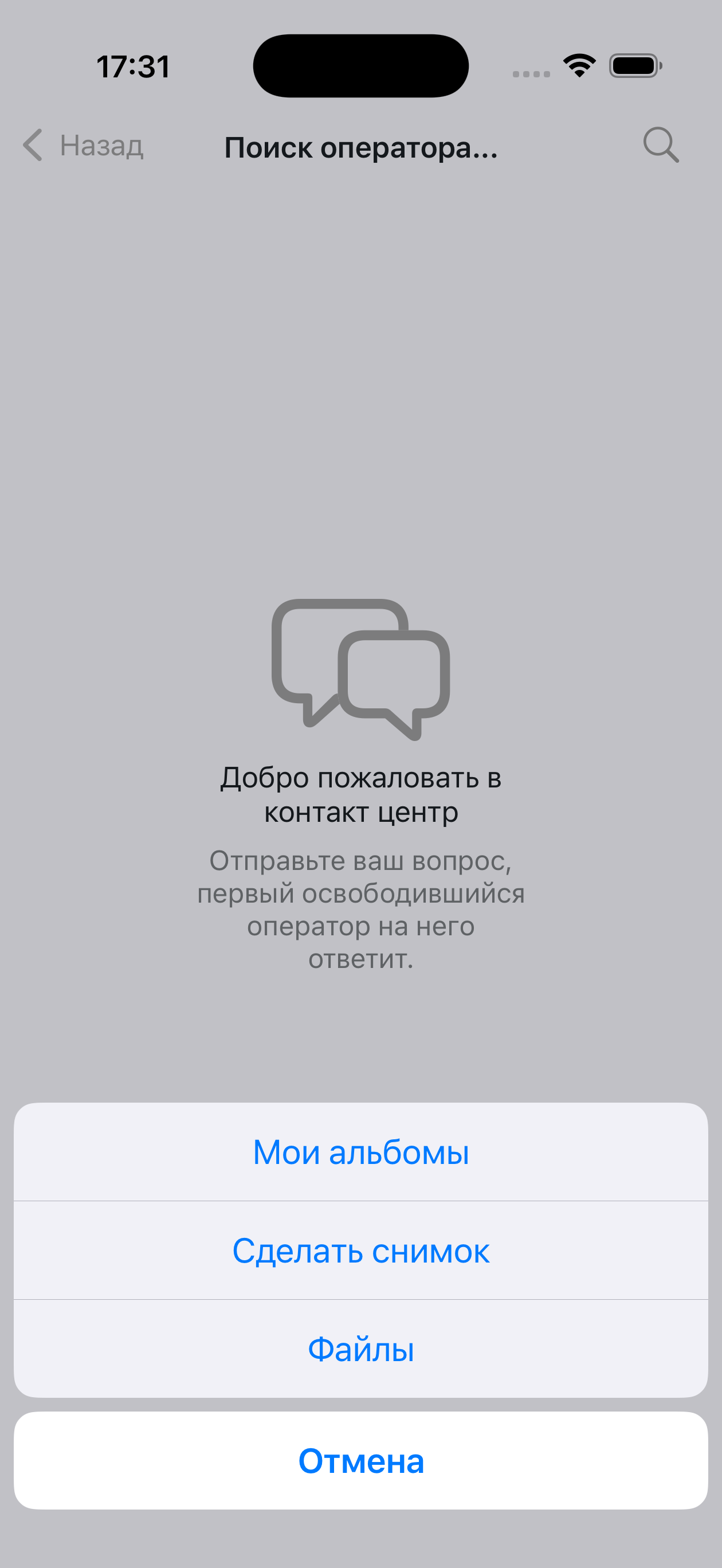 | |
action.title_repeat | Повторить | При ошибке загрузки чата | 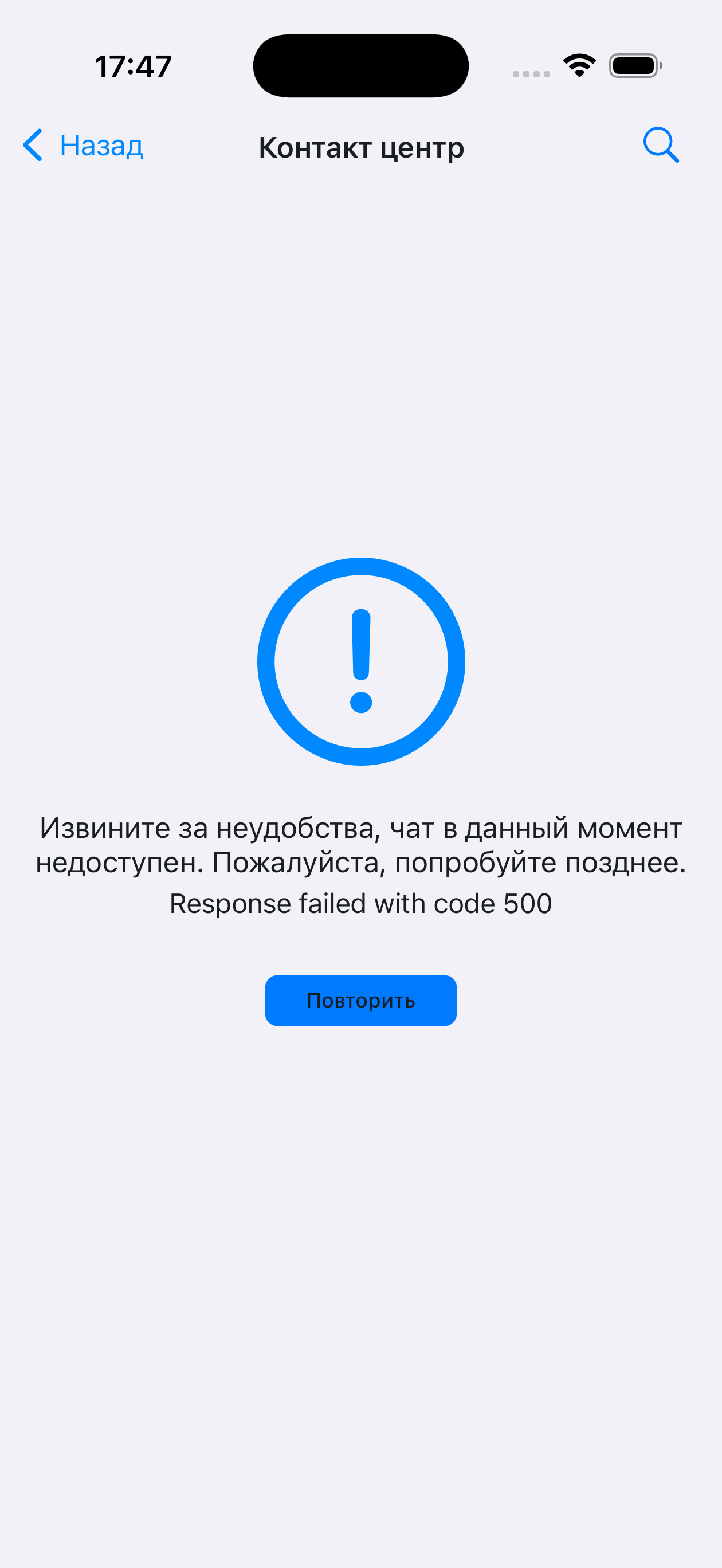 | |
action.alert_send | Отправить | В форме отправки файла | 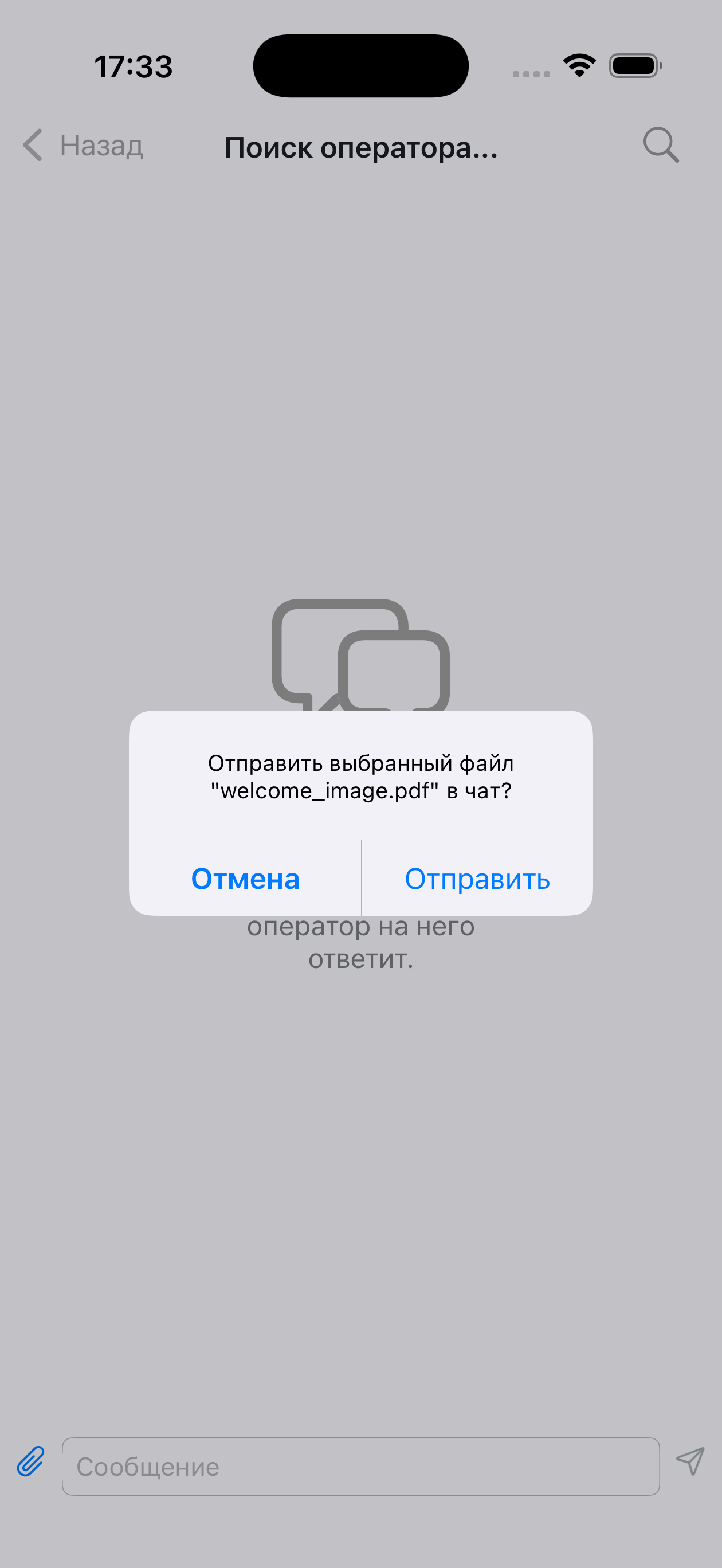 | |
| Чат | chat.available_readonly_text | Данный чат доступен только для просмотра | Отображается, если пользователь не может писать | 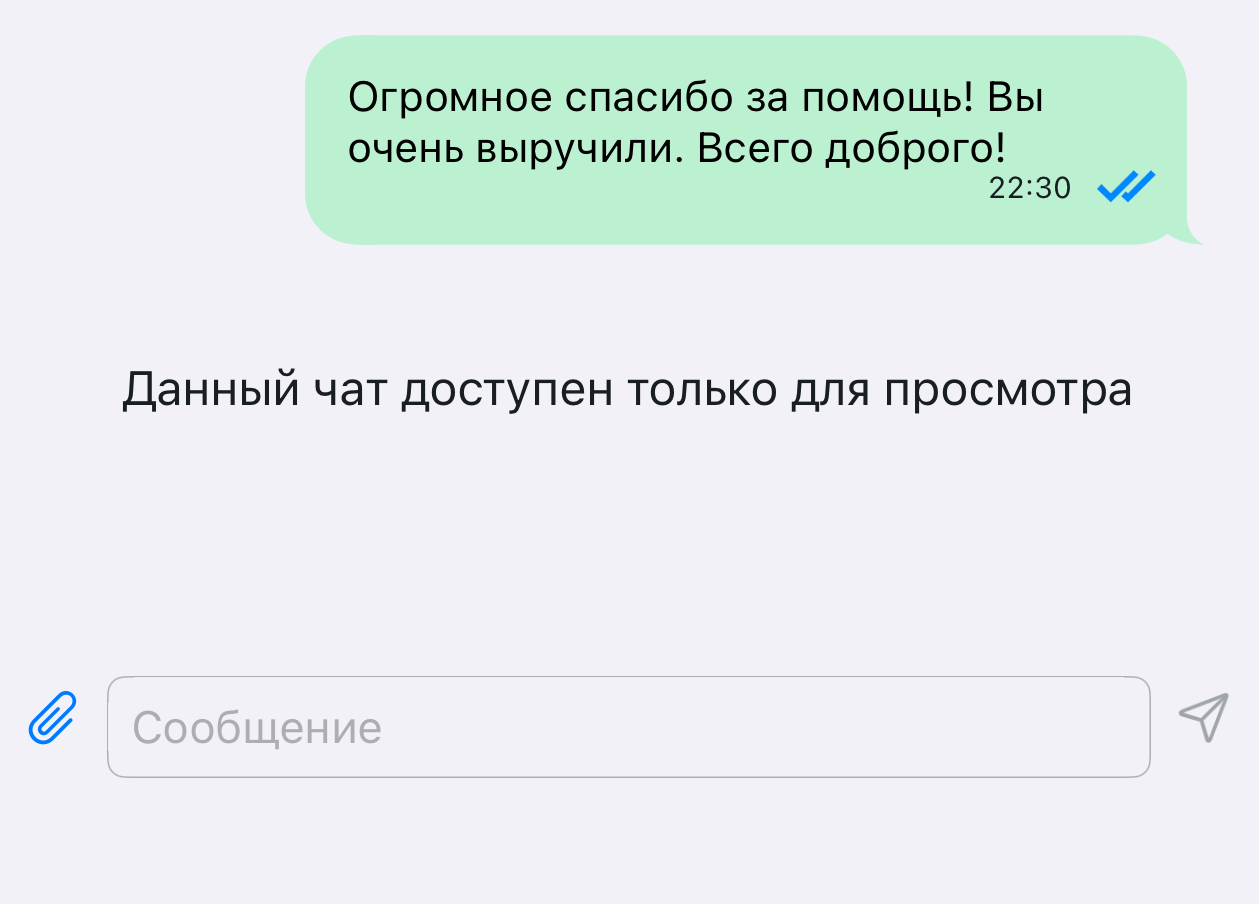 |
chat.client_name | Вы | В заголовке цитаты | 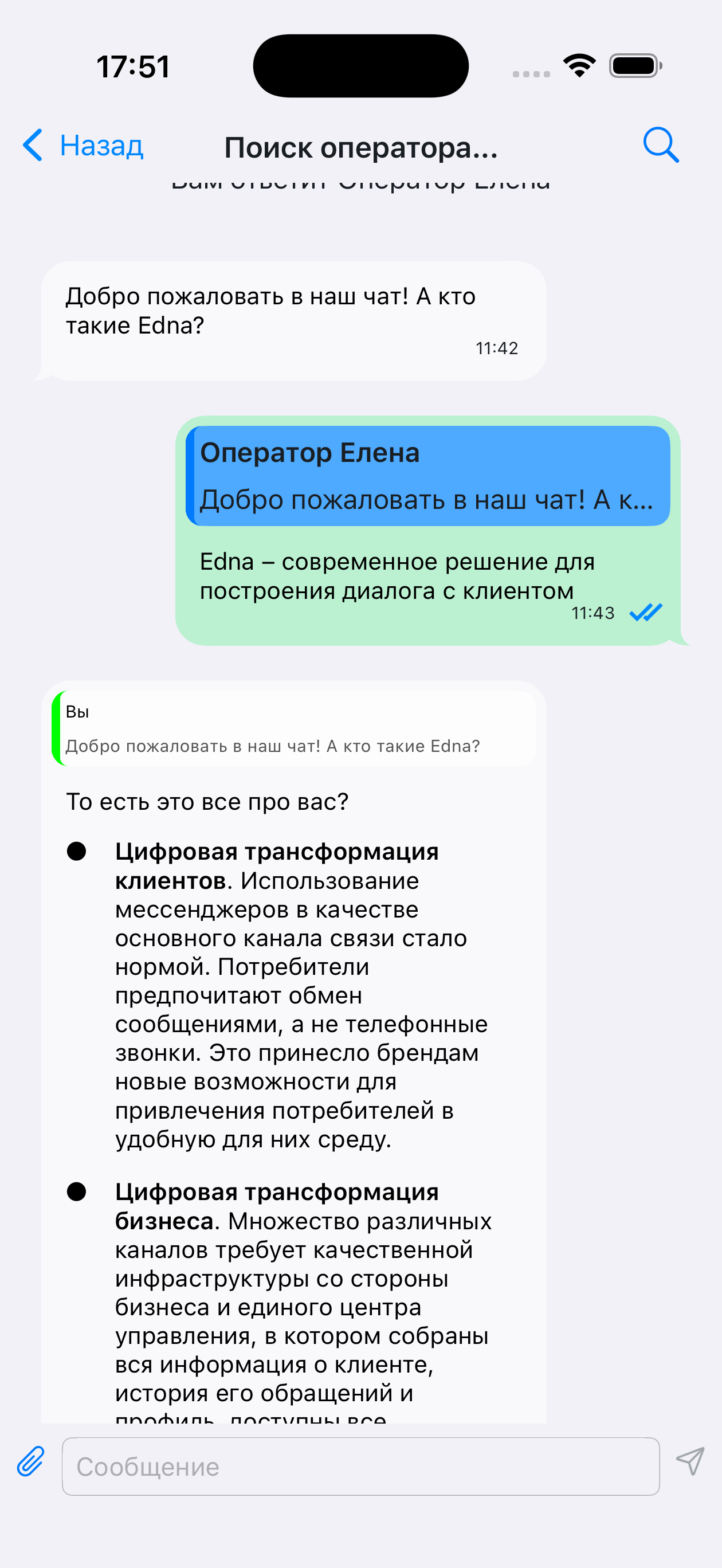 | |
chat.title.connecting | Подключение... | В заголовке чата | 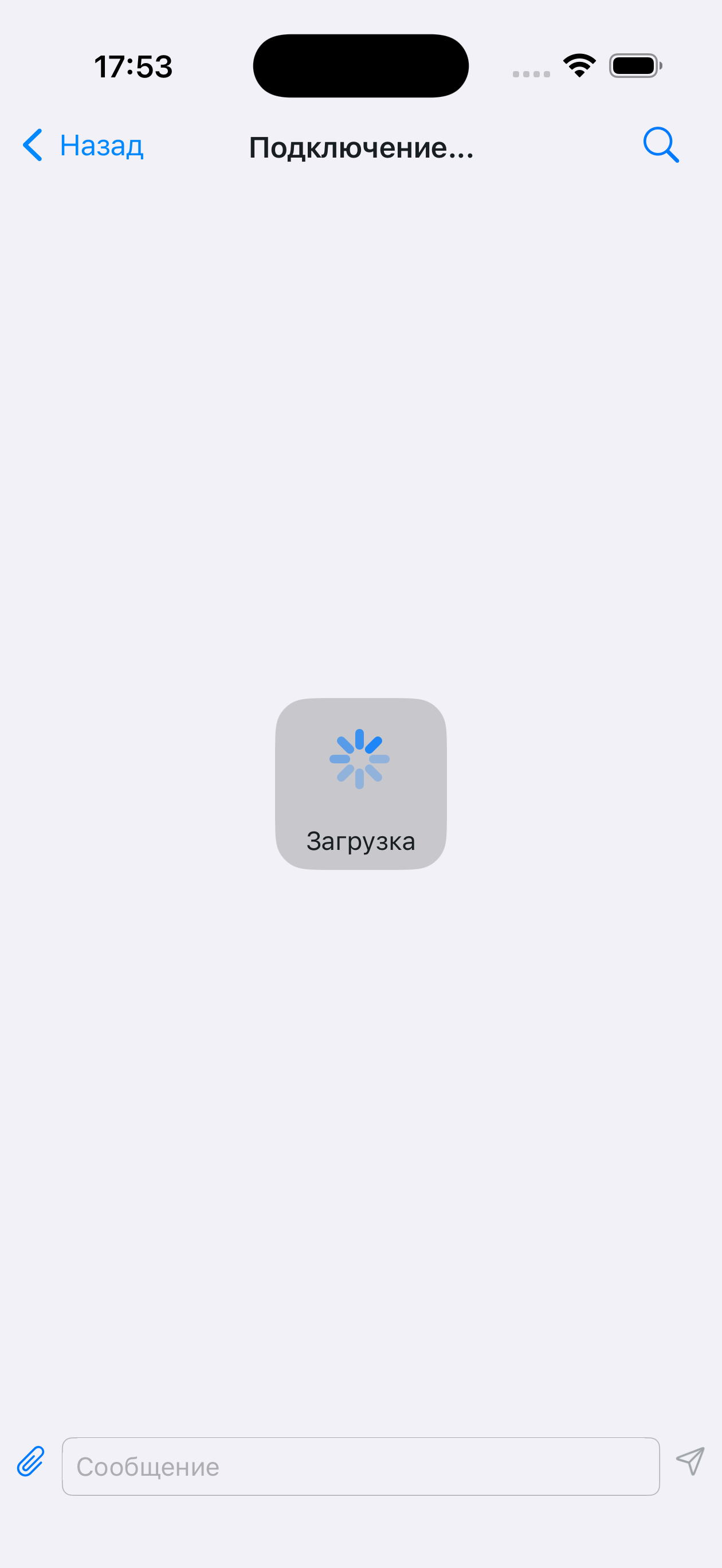 | |
chat.title.opened | Контакт центр | В заголовке чата после открытия | 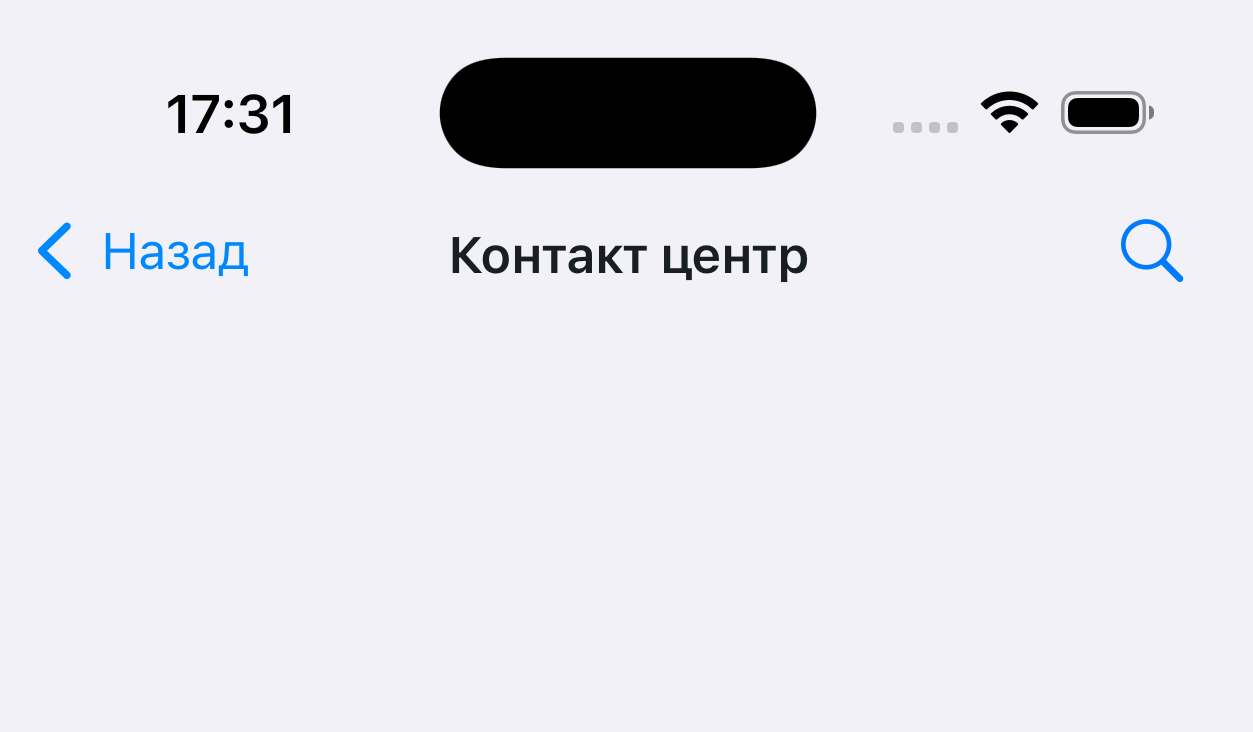 | |
chat.title.waiting_for_specialist | Поиск оператора... | В заголовке чата после начала переписки | 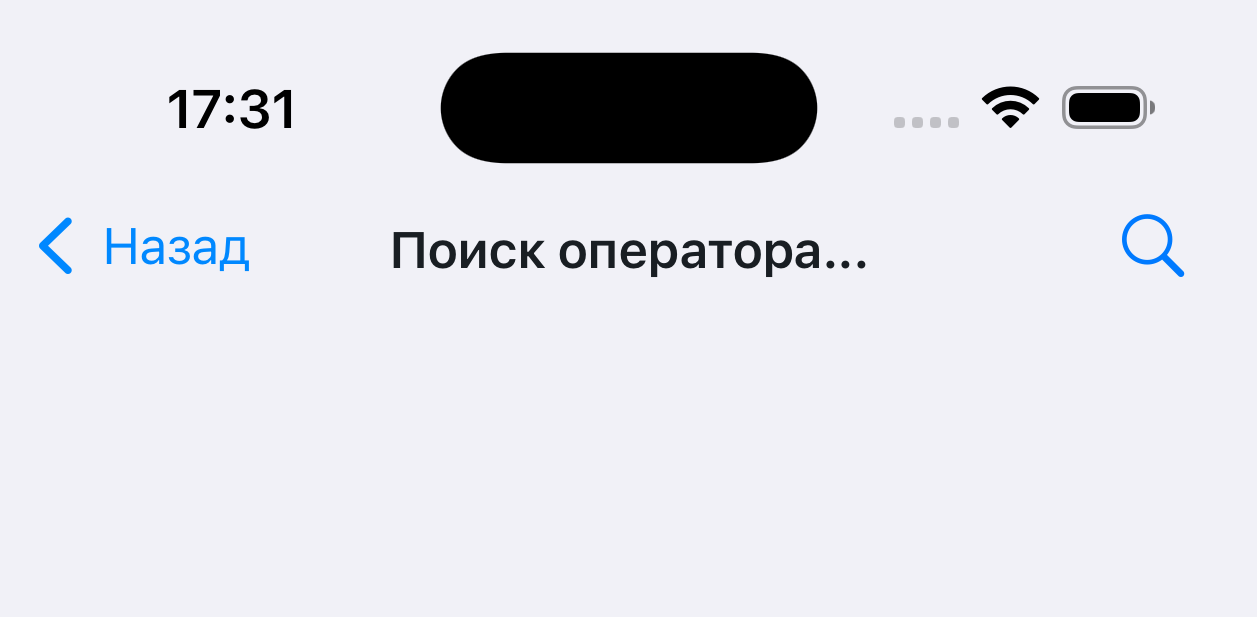 | |
chat.title.working | Оператор | Отображается в заголовке чата во время диалога | 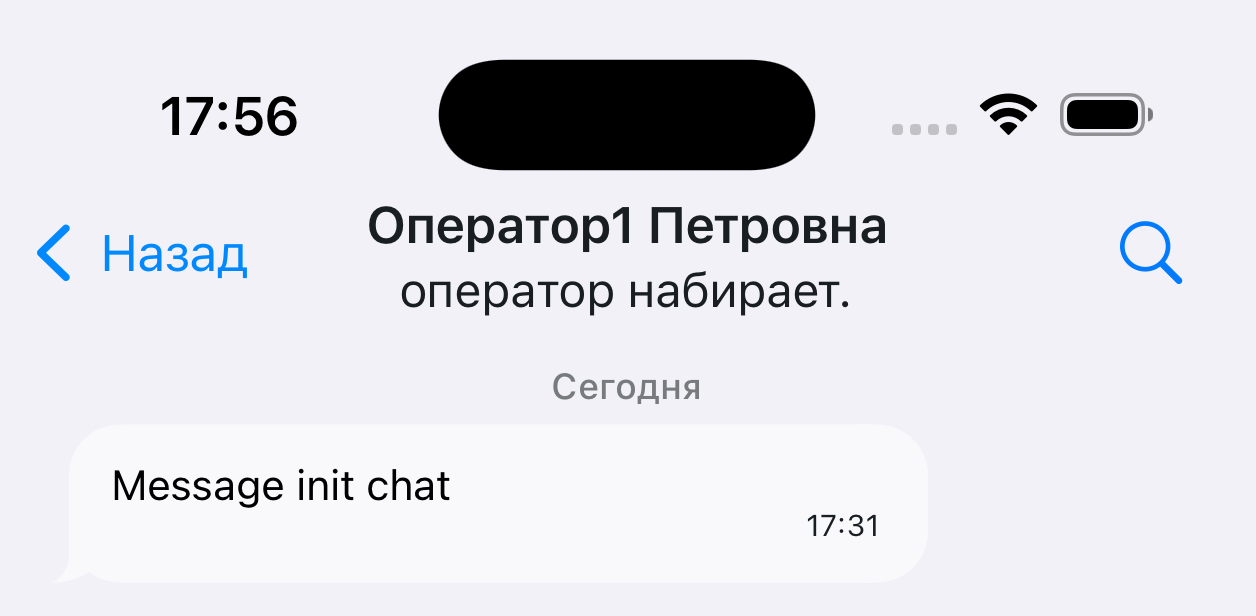 | |
chat.title.typing | оператор набирает | Отображается под заголовком чата при наборе текста оператором | | |
| Роли оператора | operator.bot | Бот | В заголовке чата, зависит от роли оператора | |
operator.external.bot | Бот | В заголовке чата, зависит от роли оператора | | |
operator.operator | Оператор | В заголовке чата, зависит от роли оператора | | |
operator.supervisor | Оператор | В заголовке чата, зависит от роли оператора | | |
operator.system | Оператор | В заголовке чата, зависит от роли оператора | | |
operator.integration | Оператор | В заголовке чата, зависит от роли оператора | | |
| Загрузка | loading.title | Загрузка | При загрузке истории | |
| Ввод | input.placeholder | Сообщение | Когда поле ввода пустое | 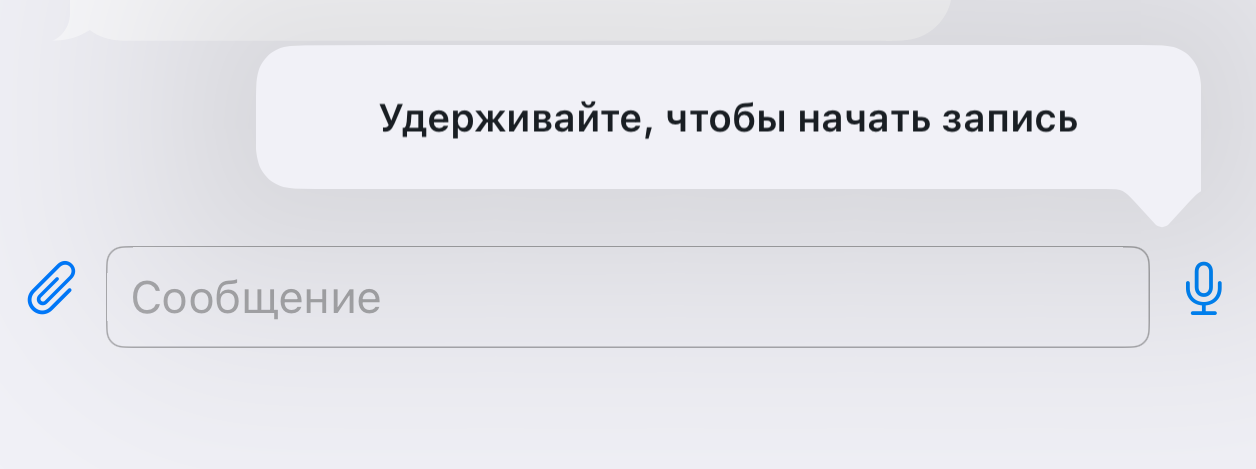 |
input.voice_recording_hint | Удерживайте, чтобы начать запись | Подсказка при долгом нажатии на микрофон | | |
| Пустой чат | empty_chat.placeholder_title | Добро пожаловать в контакт центр | Отображается при первом открытии чата | 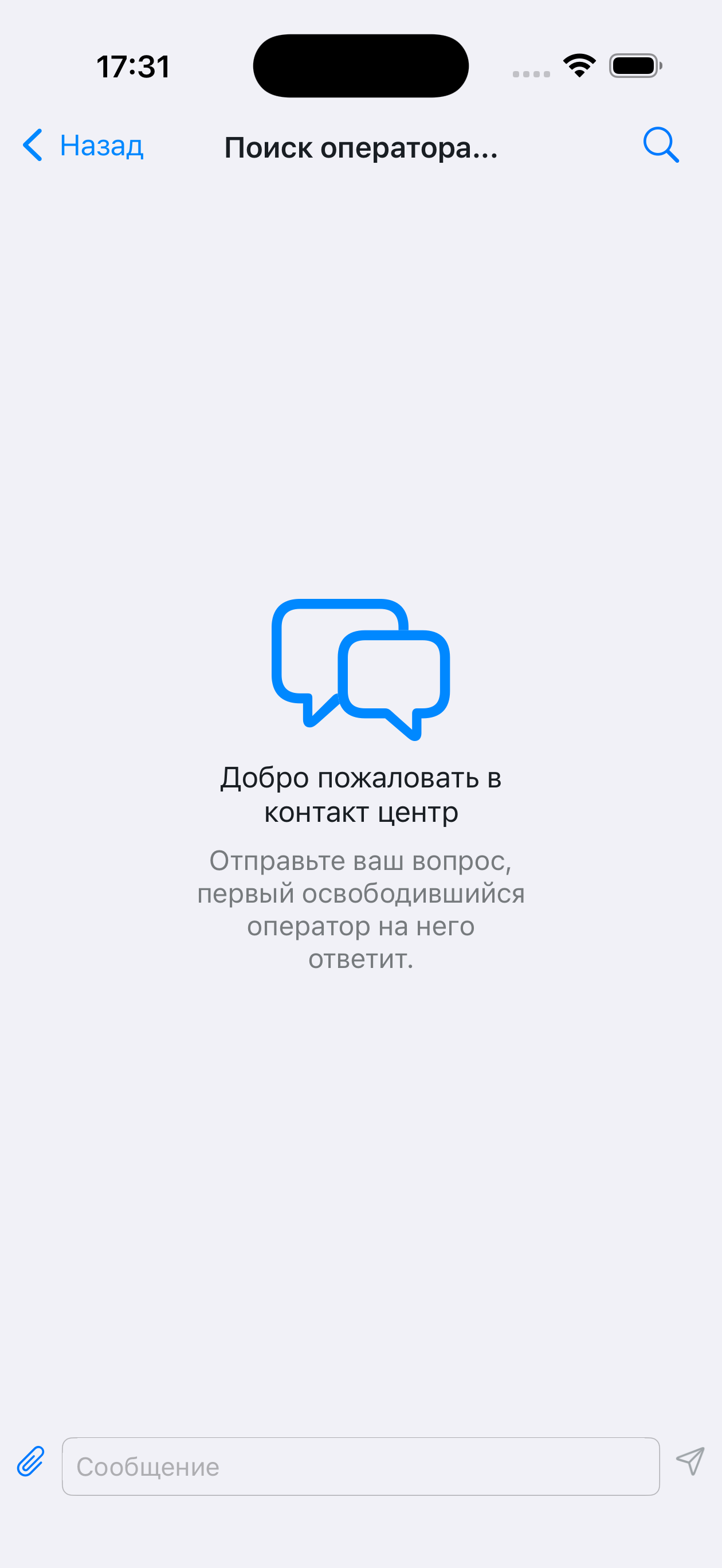 |
empty_chat.placeholder_desc | Отправьте ваш вопрос, первый освободившийся оператор на него ответит. | — | | |
| Ошибки отправки | alert.resend_failed_message.title | "" | Может быть пустым, зависит от реализации | 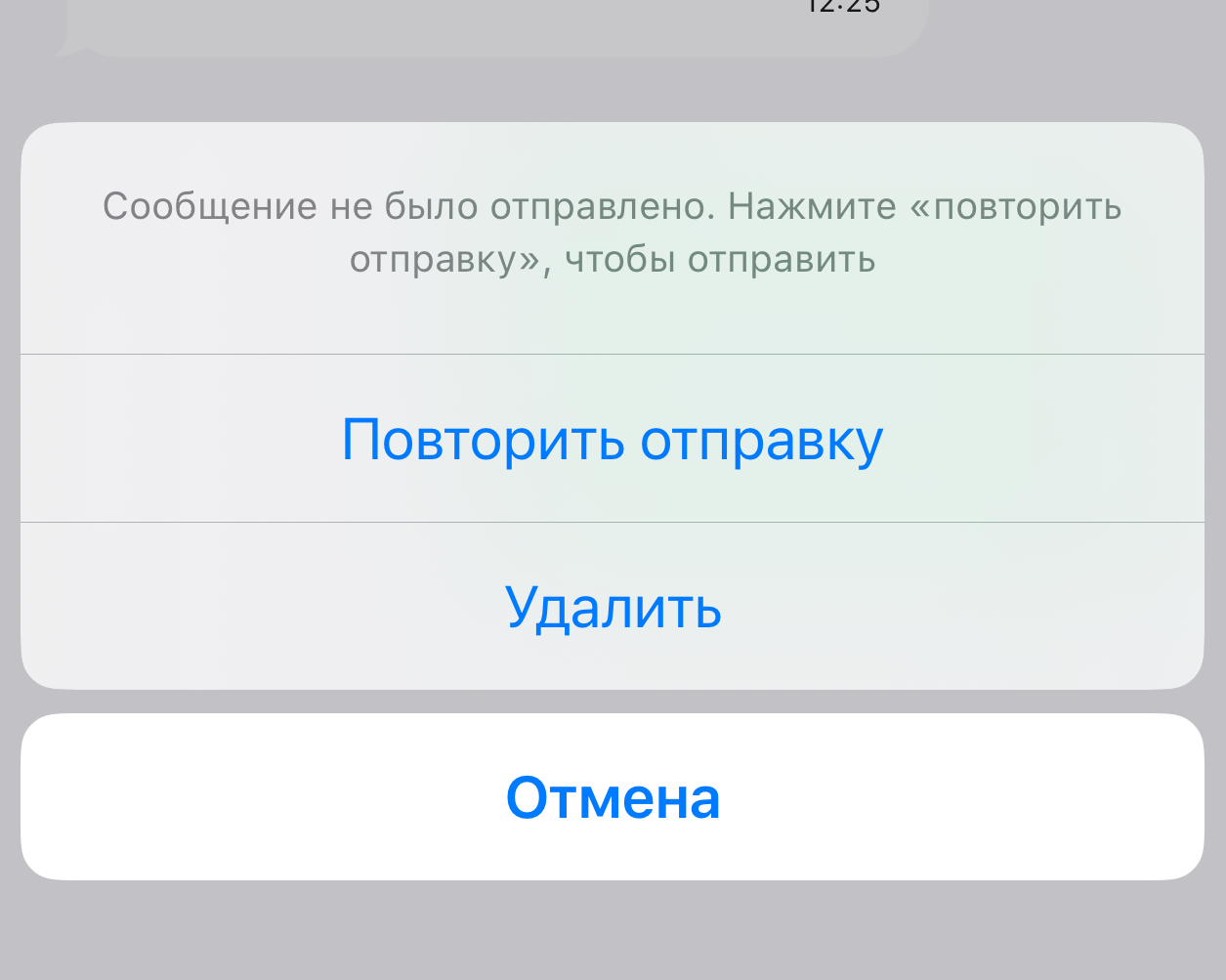 |
alert.resend_failed_message.desc | Сообщение не было отправлено. Нажмите «повторить отправку», чтобы отправить | Описание меню повторной отправки сообщений | | |
alert.resend_failed_message.retry_btn | Повторить отправку | — | | |
alert.resend_failed_message.delete_btn | Удалить | — | | |
| Доступ / Разрешения | alert.access_denied_title | Нет доступа | На сервере не настроены разрешения | 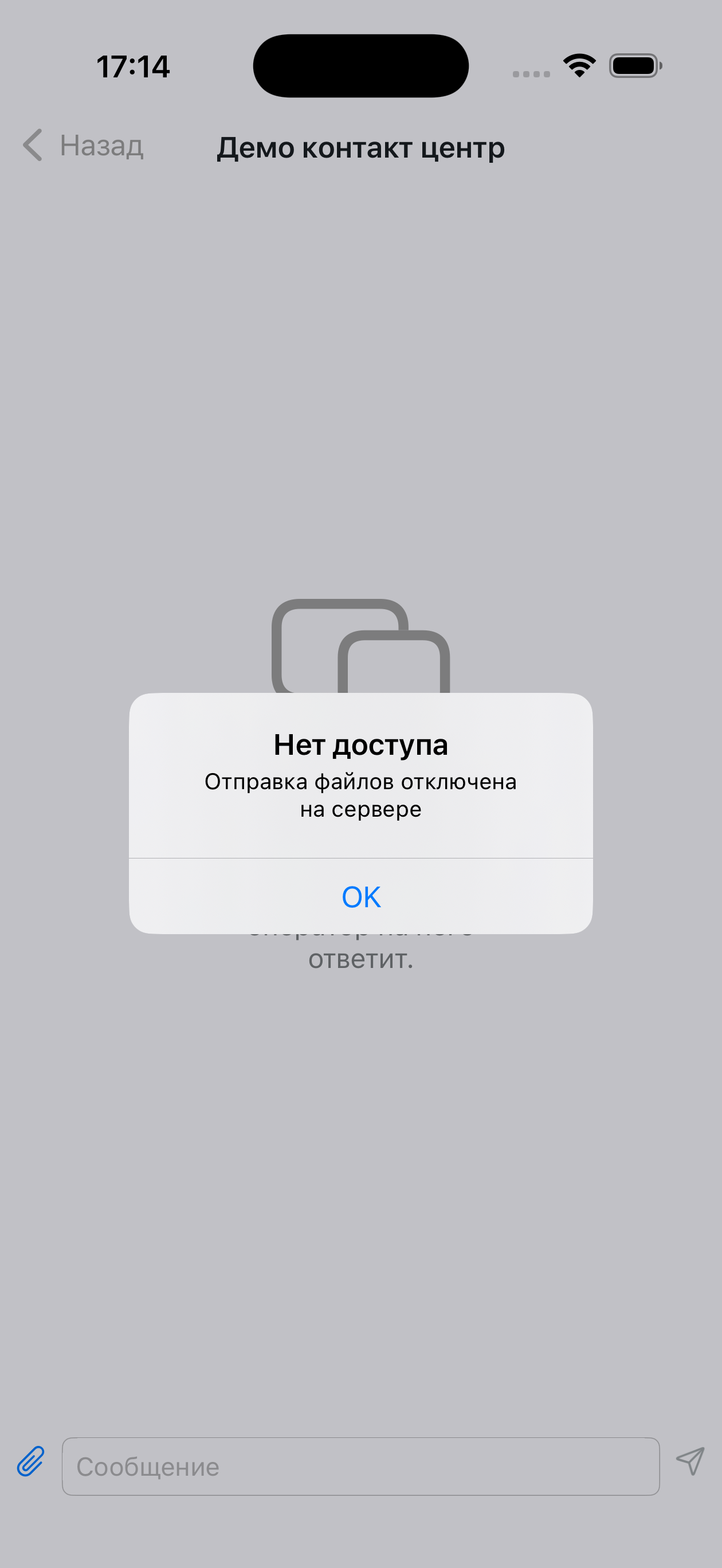 |
alert.file_sending_denied_desc | Отправка файлов отключена на сервере | На сервере не настроены разрешения | | |
alert.unlock_photos_access | Разблокируйте доступ к фотографиям в настройках приложения, чтобы продолжить | — | | |
alert.camera_not_found | На Вашем устройстве не найдена камера | Уведомление при попытке использовать камеру на устройстве без камеры | | |
alert.send_selected_file_to_chat | Отправить выбранный файл "%@" в чат? | %@ — имя файла | | |
alert.unlock_camera_access | Разблокируйте доступ к камере в настройках приложения, чтобы продолжить | Уведомление, если пользователь запретил доступ | 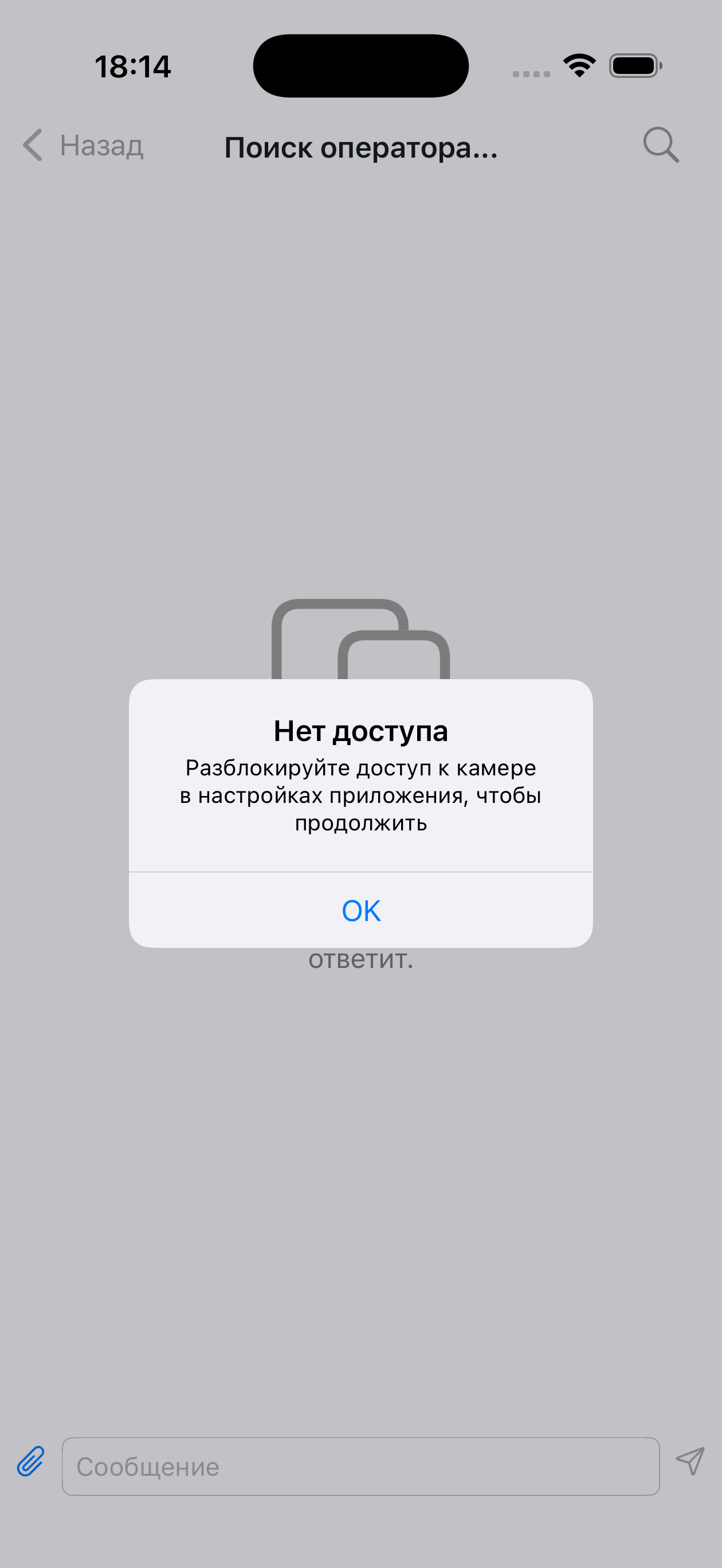 | |
alert.cant_take_photo | Не удалось сделать фотографию | Уведомление, не удалось сделать фото с камеры | | |
alert.app_settings | Настройки | Пункт меню в уведомлении | 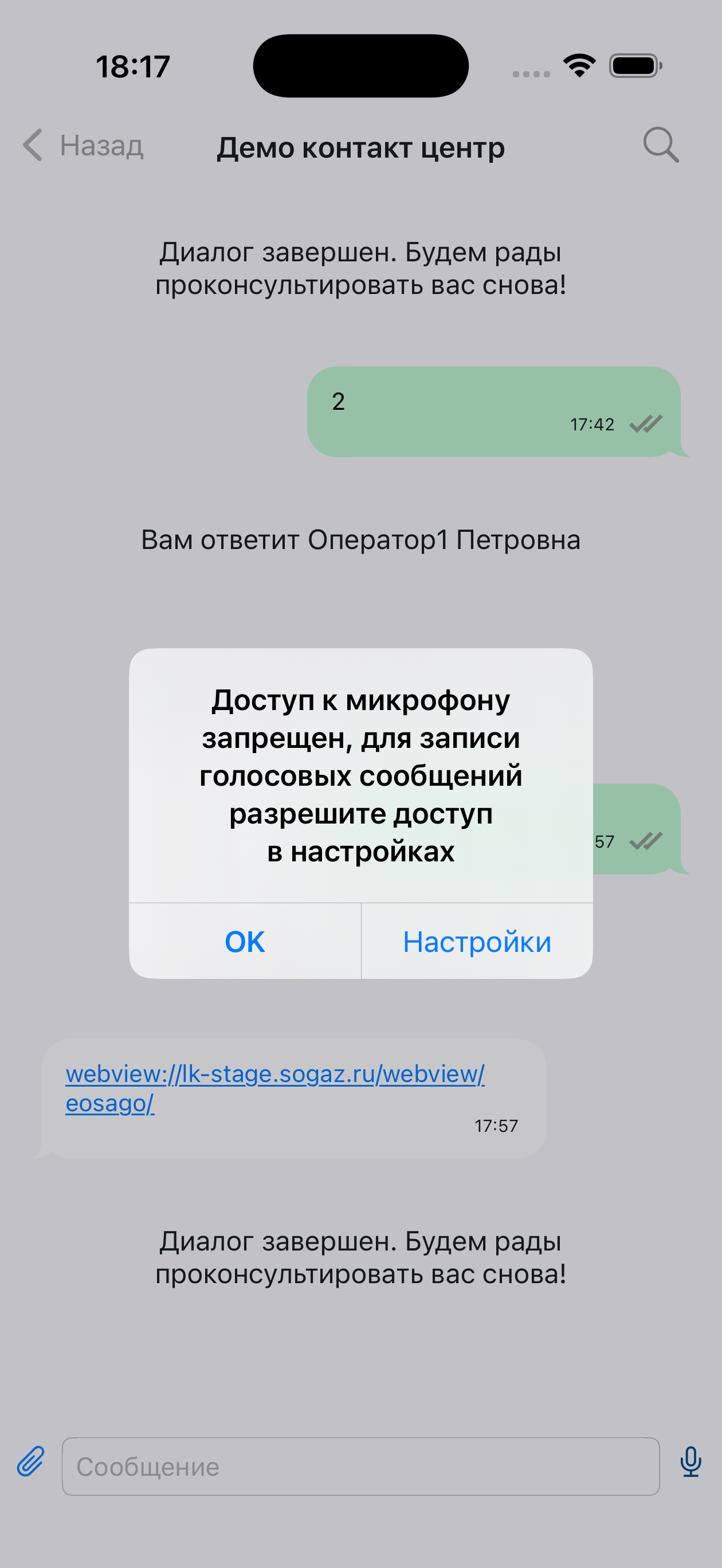 | |
alert.voice_recording_denied | Доступ к микрофону запрещен, для записи голосовых сообщений разрешите доступ в настройках | Описание уведомления | | |
alert.text_copied_message | Текст скопирован в буфер обмена | Уведомление о копировании текста в буфер обмена | 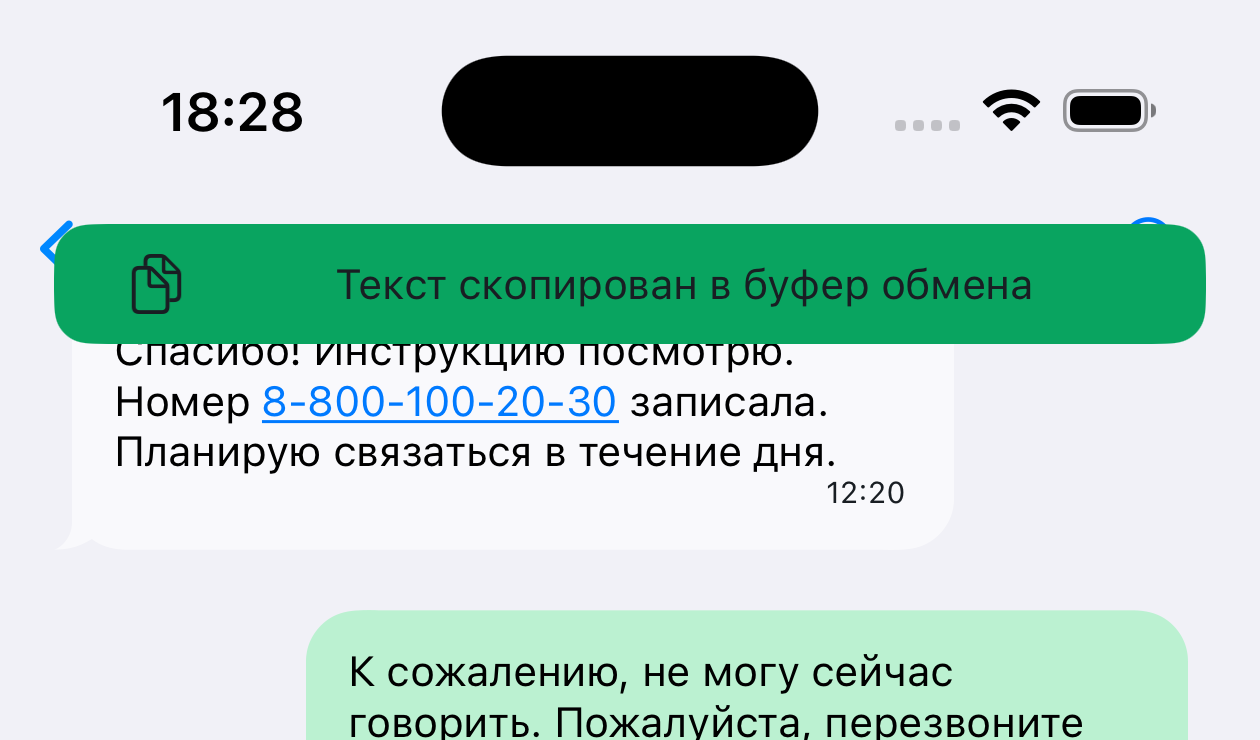 | |
| Статусы сообщений | message.status.not_delivered | Не доставлено | Текст ошибки под сообщением | 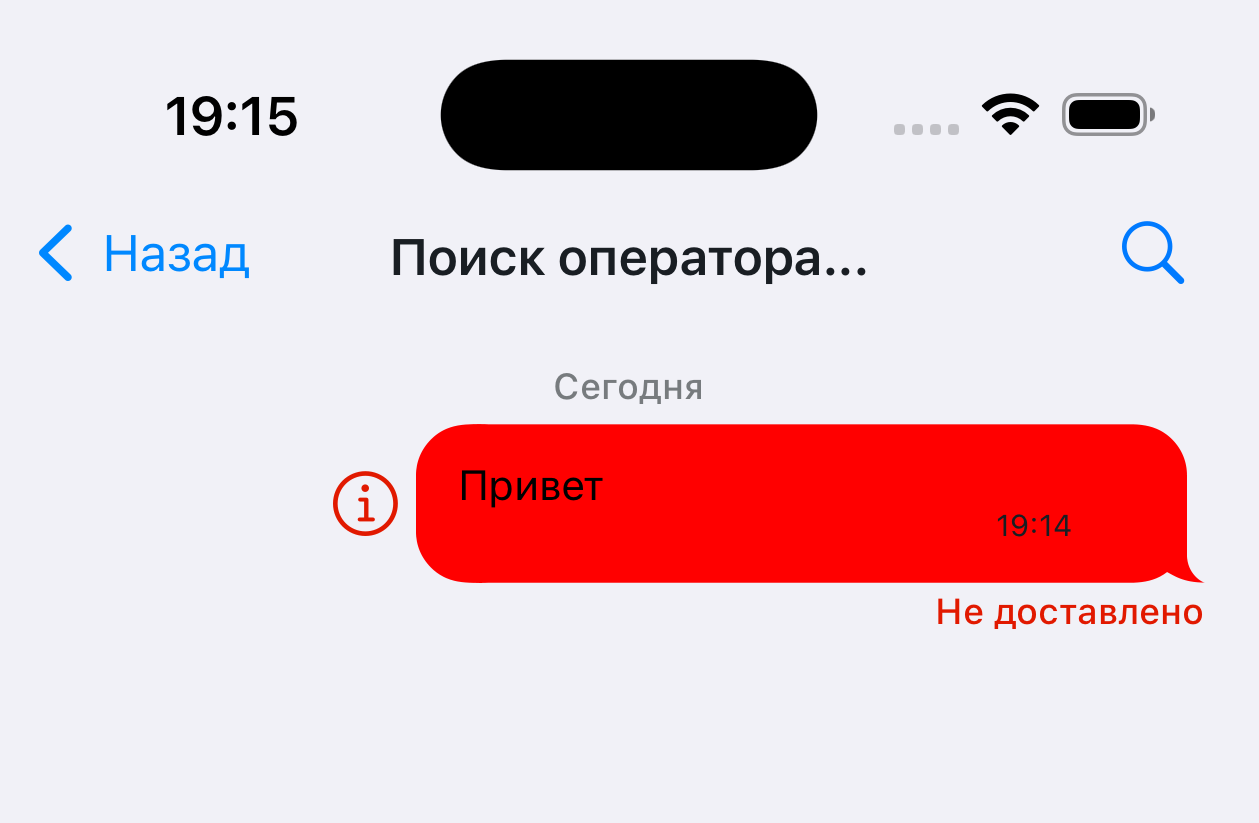 |
message.status.validation_error | Не доставлено | Текст ошибки под сообщением | | |
| Сообщения | message.deleted_text | Сообщение удалено | — | 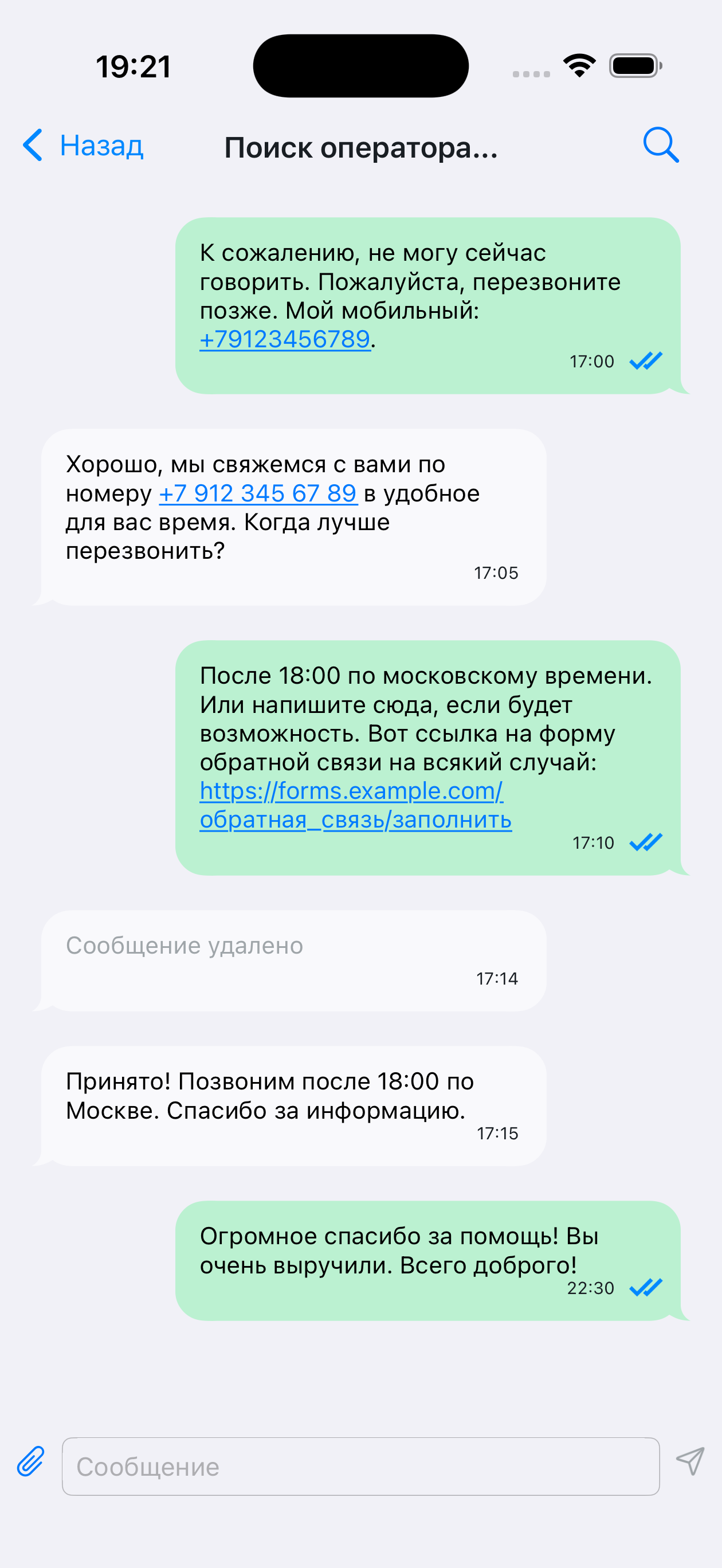 |
message.send_file_limit_alert_title | Размер файла | Превышен размер на отправку | 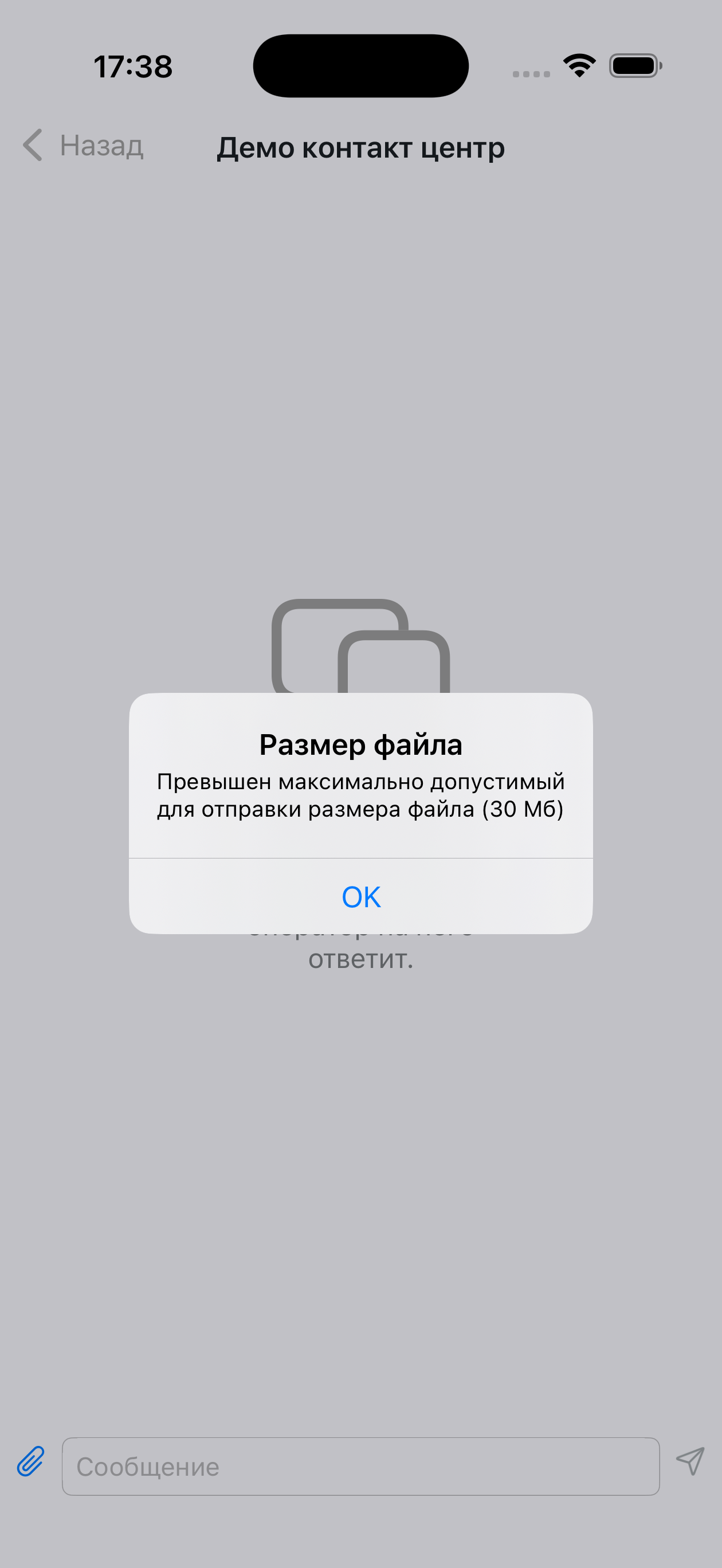 | |
message.send_file_limit_alert_message | Превышен максимально допустимый для отправки размера файла (%.0f Мб) | %.0f — подставляется число (например, 25 Мб) | | |
message.incorrect_url_for_opening | Не удалось открыть ссылку | При нажатии на ссылку в сообщении, которую нельзя открыть | | |
message.photo_title | ФОТО | Отображается в цитате сообщения с фото | 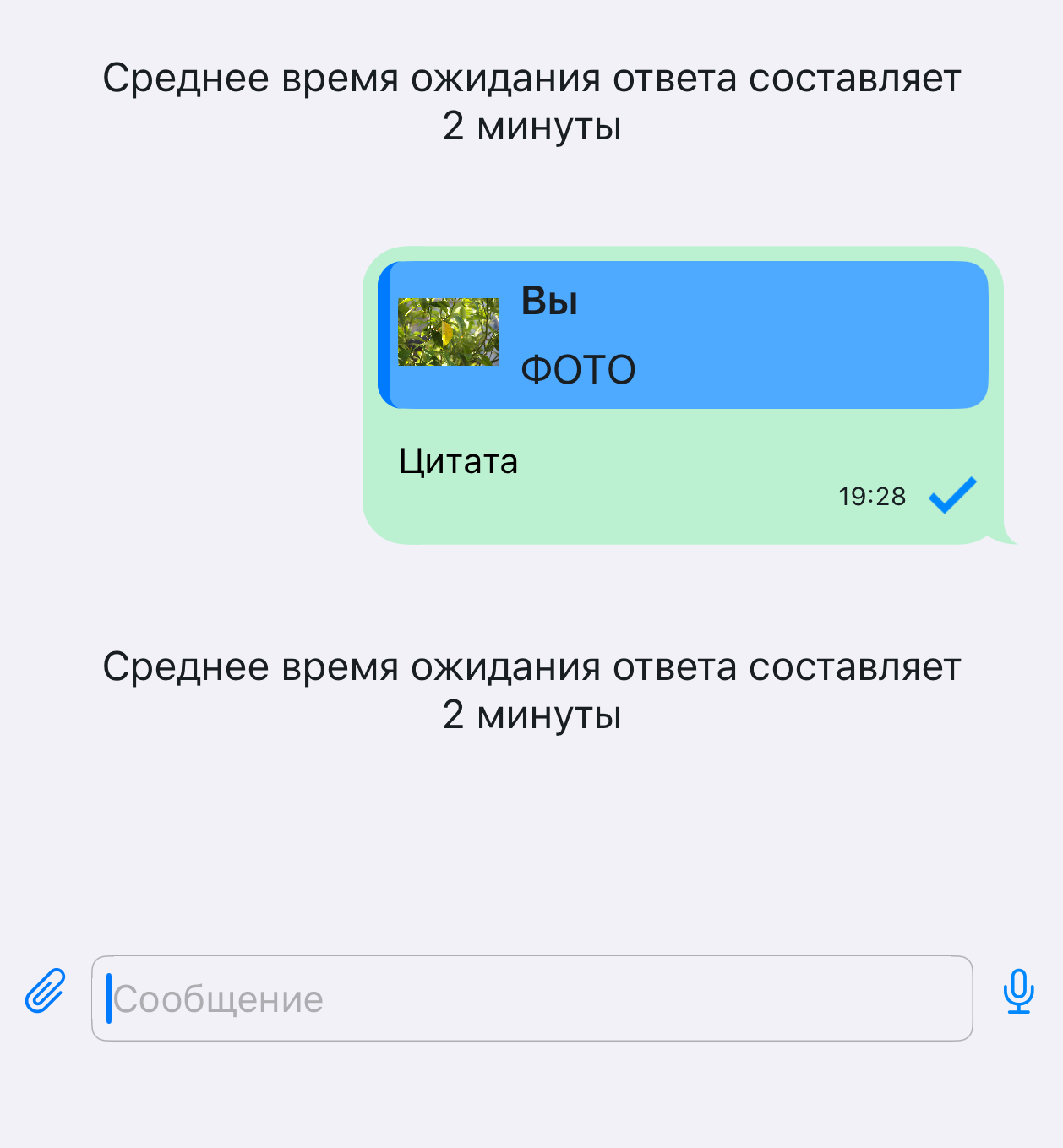 | |
message.voice_title | ГОЛОСОВОЕ СООБЩЕНИЕ | Отображается в цитате голосового сообщения | | |
message.voice_play_error | Ошибка при воспроизведении | Ошибка при воспроизведении под сообщением | 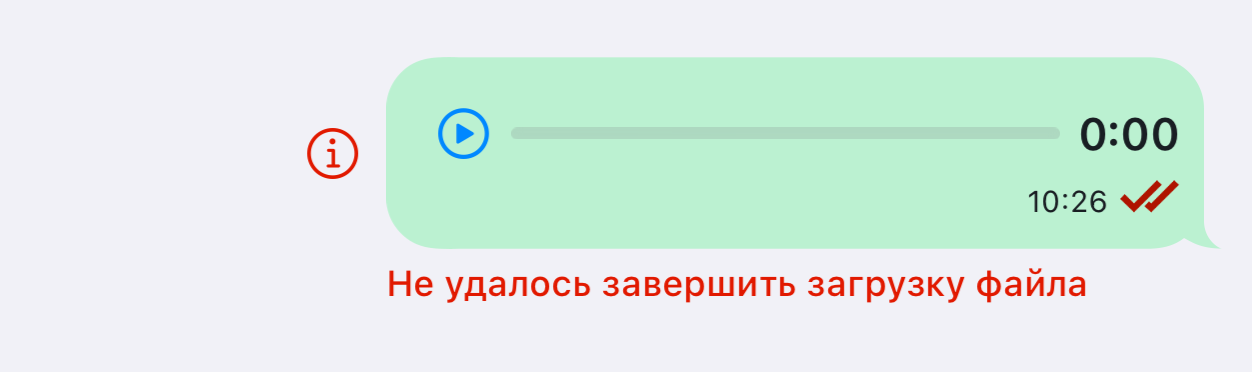 | |
message.unsupported_file_format | Неподдерживаемый формат | Ошибка в формате, отображается под сообщением | | |
| Меню цитирования | menu.response_title | Ответить | Меню цитирования | 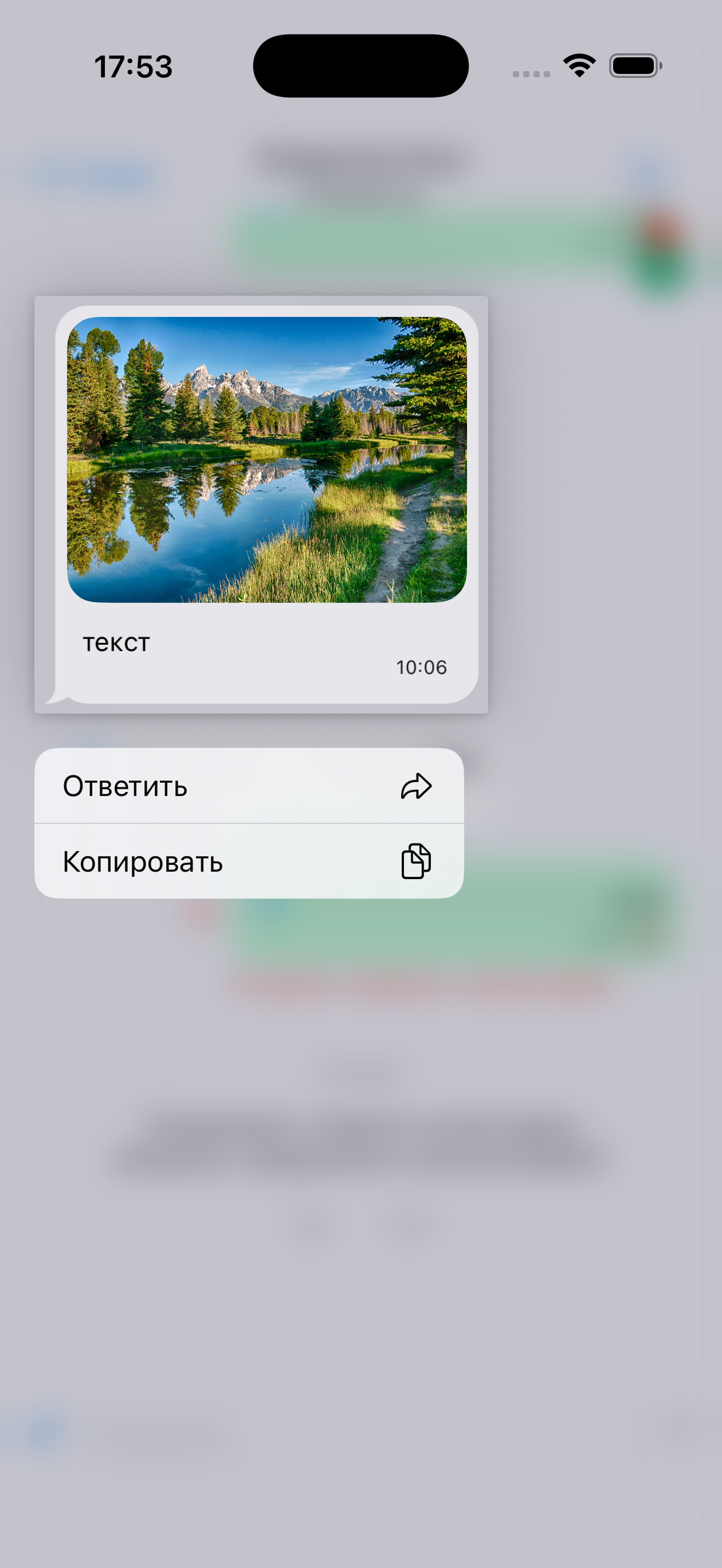 |
menu.copy_title | Копировать | Меню цитирования | | |
| Поиск | search.placeholder_title | Поиск | — | 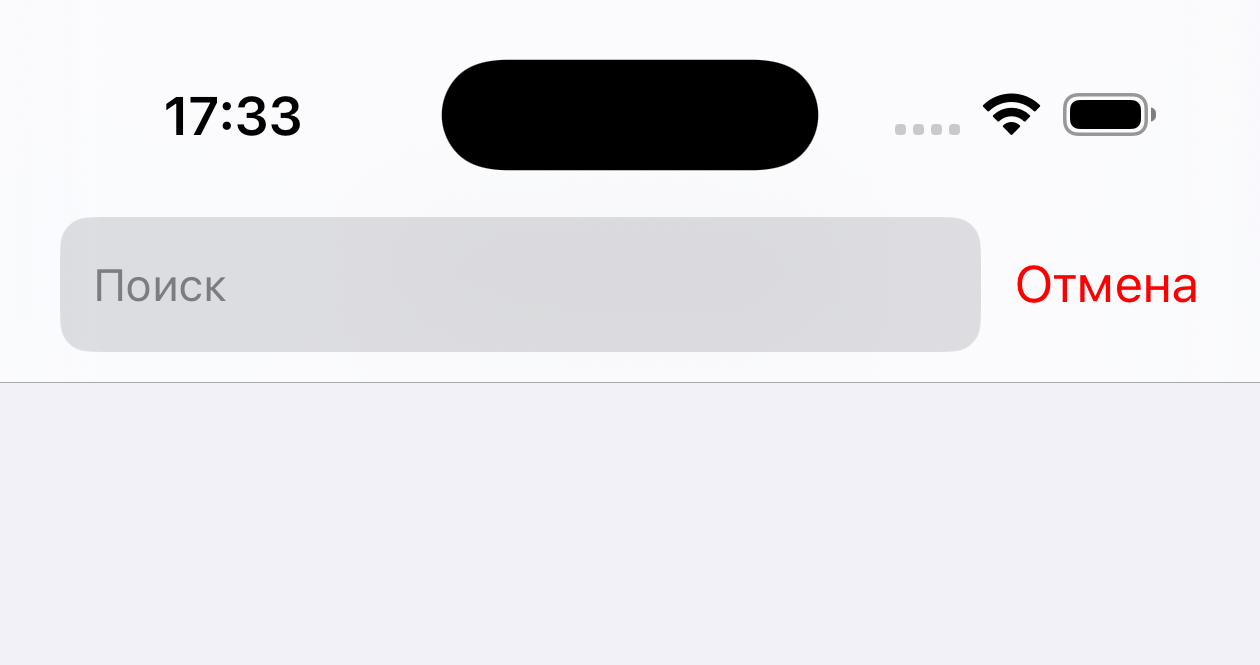 |
search.not_found_title | Результатов не найдено | Не удалось найти результаты | 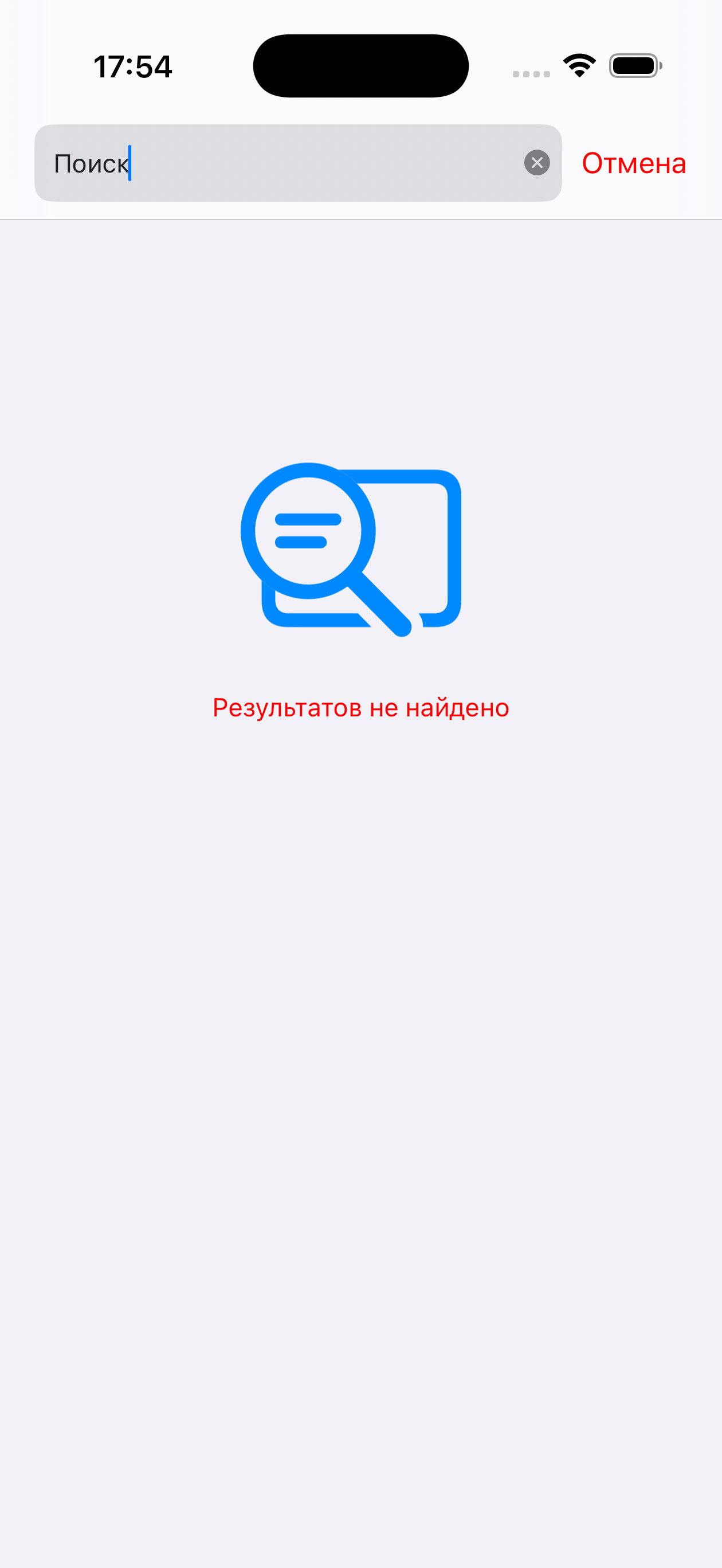 | |
search.image_attachment_title | изображение | Название файла в результатах поиска | 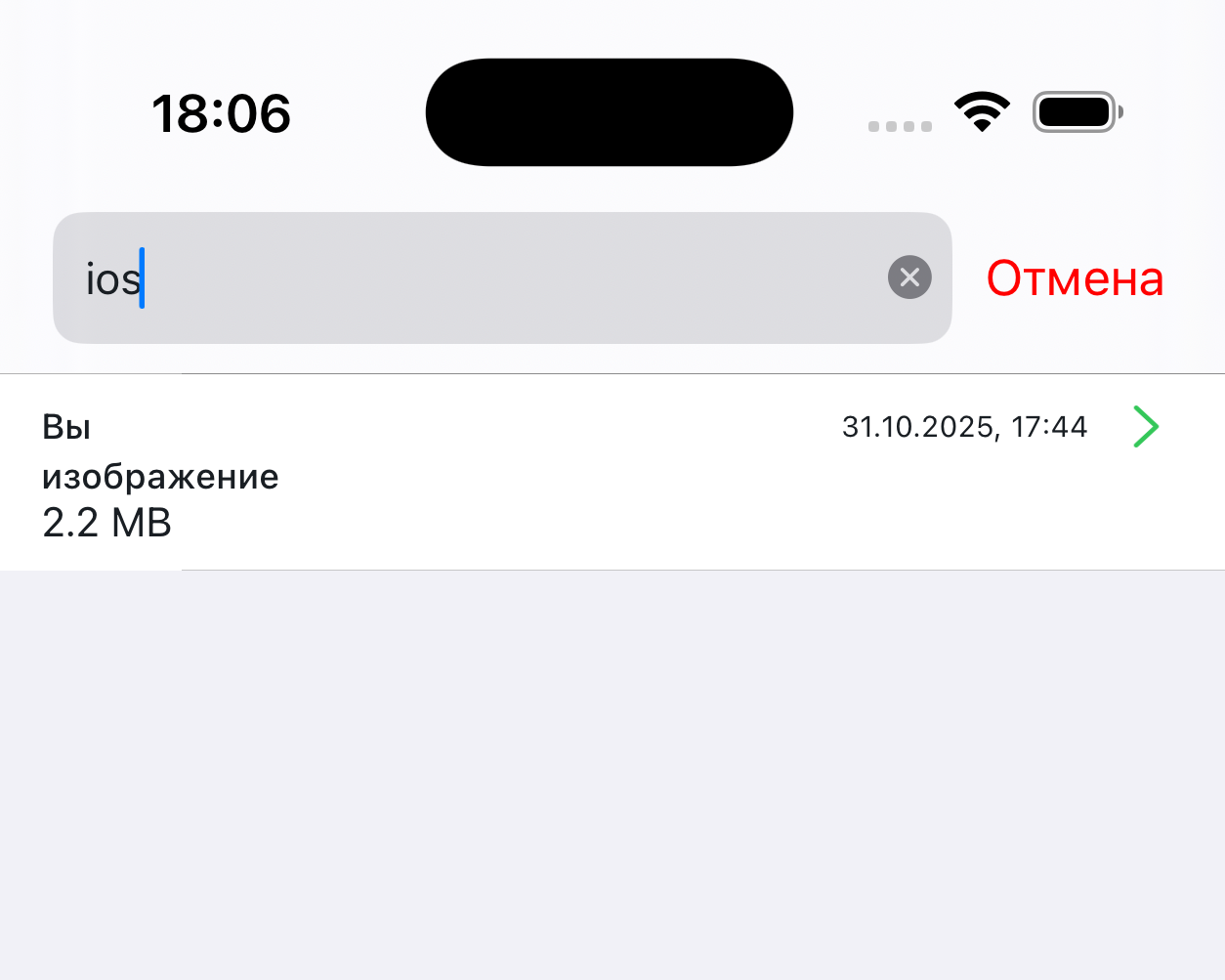 | |
search.audio_attachment_title | аудио файл | Название файла в результатах поиска | | |
| Опросы | survey.message_vote_from_title | из | Оценка отображаемая после завершения опроса в истории. Например "2 из 5" | - |
survey.message_thanks.title | Спасибо за вашу оценку | Сообщение после завершения опроса | 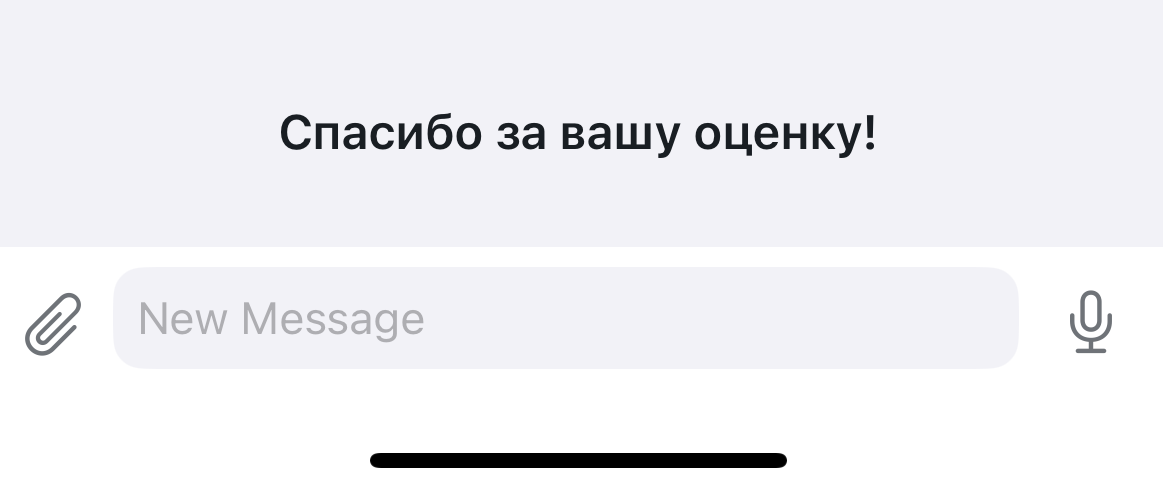 | |
survey.request_close_thread_message | Специалист ответил на все ваши вопросы, продолжить консультацию? | — | | |
| Ошибки SDK | errors.init_failed_title | Возникла проблема во время инициализации чата: | Ошибка при загрузке чата | |
errors.connection_timeout | Истекло время ожидания подключения к серверу | Сетевая ошибка | | |
errors.load_config | Не удалось загрузить настройки чата | Ошибка при загрузке чата | | |
errors.voice_message | Не удалось завершить загрузку файла | Ошибка отображаемая под сообщением | | |
errors.code_from_400_to_500_title | Извините за неудобства, чат в данный момент недоступен. Пожалуйста, попробуйте позднее. | Ошибка подключения при входе в чат. Заголовок | | |
errors.code_from_400_to_500_desc | "" | Ошибка подключения при входе в чат | | |
errors.disallowed_file_loading | Загрузка файла не выполнена.\nНе удалось проверить файл | Ошибка отображаемая под сообщением | | |
errors.timeout_during_load_file | Не удалось завершить загрузку файла, истек таймаут.\nПопробуйте загрузить файл позже | Ошибка отображаемая под сообщением | | |
errors.unexpected_error_during_load_file | Не удалось завершить загрузку файла.\nПопробуйте отправить файл позже | Ошибка отображаемая под сообщением | | |
errors.during_load_file | Произошла ошибка при загрузке или проверке файла | Ошибка отображаемая под сообщением | | |
| Меню вложений | attachments.menu.my_albums | Мои альбомы | Пункт меню | |
attachments.menu.take_photo | Сделать снимок | Пункт меню | | |
alert.picker_files_btn | Файлы | Пункт меню | |
Полный файл (.strings) для копирования
// Кнопки
"action.title_ok" = "OK";
"action.title_yes" = "Да";
"action.title_no" = "Нет";
"action.title_cancel" = "Отмена";
"action.title_repeat" = "Повторить";
"action.alert_send" = "Отправить";

"chat.available_readonly_text" = "Данный чат доступен только для просмотра";
"chat.client_name" = "Вы"; // Обращение к клиенту (цитаты, собственные сообщения в поиске и т.д)

"chat.title.connecting" = "Подключение..."; // Подключение к серверу
"chat.title.opened" = "Контакт центр"; // Открыт чат
"chat.title.waiting_for_specialist" = "Поиск оператора..."; // Ожидание подключения оператора
"chat.title.working" = "Оператор"; // Оператор подключился к диалогу
"chat.title.typing" = "оператор набирает";

// Заголовок специалиста (Роль)
"operator.bot" = "Бот";
"operator.external.bot" = "Бот";
"operator.operator" = "Оператор";
"operator.supervisor" = "Оператор";
"operator.system" = "Оператор";
"operator.integration" = "Оператор";

"loading.title" = "Загрузка"; // Индикатор загрузки чата

"input.placeholder" = "Сообщение"; // Плэйсхолдер в панели ввода
"input.voice_recording_hint" = "Удерживайте, чтобы начать запись"; // Подсказка о записи голосового

"empty_chat.placeholder_title" = "Добро пожаловать в контакт центр"; // Заглушка в пустом чате
"empty_chat.placeholder_desc" = "Отправьте ваш вопрос, первый освободившийся оператор на него ответит."; // Описание заглушки в пустом чате

"alert.resend_failed_message.title" = "";
"alert.resend_failed_message.desc" = "Сообщение не было отправлено. Нажмите «повторить отправку», чтобы отправить";
"alert.resend_failed_message.retry_btn" = "Повторить отправку";
"alert.resend_failed_message.delete_btn" = "Удалить";
"alert.access_denied_title" = "Нет доступа";
"alert.file_sending_denied_desc" = "Отправка файлов отключена на сервере";
"alert.unlock_photos_access" = "Разблокируйте доступ к фотографиям в настройках приложения, чтобы продолжить";
"alert.send_selected_file_to_chat" = "Отправить выбранный файл \"%@\" в чат?";
"alert.picker_files_btn" = "Файлы";
"alert.camera_not_found" = "На Вашем устройстве не найдена камера";
"alert.unlock_camera_access" = "Разблокируйте доступ к камере в настройках приложения, чтобы продолжить";
"alert.cant_take_photo" = "Не удалось сделать фотографию";
"alert.app_settings" = "Настройки";
"alert.voice_recording_denied" = "Доступ к микрофону запрещен, для записи голосовых сообщений разрешите доступ в настройках";
"alert.text_copied_message" = "Текст скопирован в буфер обмена";

// Статусы сообщений
"message.status.not_delivered" = "Не доставлено";
"message.status.validation_error" = "Не доставлено";

// Сообщения
"message.deleted_text" = "Сообщение удалено";
"message.send_file_limit_alert_title" = "Размер файла";
"message.send_file_limit_alert_message" = "Превышен максимально допустимый для отправки размера файла (%.0f Мб)";
"message.incorrect_url_for_opening" = "Не удалось открыть ссылку";
"message.photo_title" = "ФОТО";
"message.voice_title" = "ГОЛОСОВОЕ СООБЩЕНИЕ";
"message.voice_play_error" = "Ошибка при воспроизведении";
"message.unsupported_file_format" = "Неподдерживаемый формат";

// Меню цитирования
"menu.response_title" = "Ответить";
"menu.copy_title" = "Копировать";

// Поиск
"search.placeholder_title" = "Поиск"; // Плэйсхолдер в строке поиска
"search.not_found_title" = "Результатов не найдено";
"search.image_attachment_title" = "изображение";
"search.audio_attachment_title" = "аудио файл";

// Опросы
"survey.message_vote_from_title" = "из";
"survey.message_thanks.title" = "Спасибо за вашу оценку";
"survey.request_close_thread_message" = "Специалист ответил на все ваши вопросы, продолжить консультацию?";

// Ошибки в СДК
"errors.init_failed_title" = "Возникла проблема во время инициализации чата:";
"errors.connection_timeout" = "Истекло время ожидания подключения к серверу";
"errors.load_config" = "Не удалось загрузить настройки чата";
"errors.voice_message" = "Не удалось завершить загрузку файла"; // Ошибка при загрузке голосового сообщения
"errors.code_from_400_to_500_title" = "Извините за неудобства, чат в данный момент недоступен. Пожалуйста, попробуйте позднее.";
"errors.code_from_400_to_500_desc" = "";
"errors.disallowed_file_loading" = "Загрузка файла не выполнена.\nНе удалось проверить файл";
"errors.timeout_during_load_file" = "Не удалось завершить загрузку файла, истек таймаут.\nПопробуйте загрузить файл позже";
"errors.unexpected_error_during_load_file" = "Не удалось завершить загрузку файла.\nПопробуйте отправить файл позже";
"errors.during_load_file" = "Произошла ошибка при загрузке или проверке файла";

// Меню вложений
"attachments.menu.my_albums" = "Мои альбомы";
"attachments.menu.take_photo" = "Сделать снимок";