Logger
The SDK logs events to a file. By default it is disabled — ChatCenterUI is created without ChatLoggerConfig, and no logs are written to the file or console. If a config is passed but logLevel is not set explicitly, VERBOSE is used (see the table below).
Log levels (ChatLogLevel)
| Level | Description |
|---|---|
VERBOSE | Maximum-detail logs, for development only |
DEBUG | Detailed logs for debugging |
INFO | Main SDK events |
WARNING | Warnings and non-standard situations |
ERROR | Only critical errors (recommended for production) |
ChatLogLevel.FLUSHThe ChatLogLevel enum has a FLUSH value — this is an internal SDK trigger to flush the log buffer to the file. Do not pass it to ChatLoggerConfig.logLevel: the SDK filter will drop all records and logging will effectively be disabled. To force a flush, use LoggerEdna.flushLogs().
ChatLoggerConfig
val loggerConfig = ChatLoggerConfig(
    applicationContext = applicationContext,
    logLevel = ChatLogLevel.VERBOSE,
    logFileSize = 1,
    logFileMaxCount = 5,
    shouldShowSendMenu = true
)

chatCenterUI = ChatCenterUI(applicationContext, loggerConfig)
The parameter order in the table matches the constructor order of ChatLoggerConfig (package edna.chatcenter.core.logger).
| # | Parameter | Type | Required | Default | Description |
|---|---|---|---|---|---|
| 1 | applicationContext | Context | Yes | — | Must be applicationContext (otherwise the init block throws IllegalArgumentException) |
| 2 | logLevel | ChatLogLevel | No | VERBOSE | Log level (see the table above; do not use FLUSH) |
| 3 | logFileSize | Int | No | 1 | Maximum log file size, MB |
| 4 | logFileMaxCount | Int | No | 5 | Maximum number of log files (rotation) |
| 5 | logInterceptor | ChatLoggerConfig.LogInterceptor? (var) | No | null | Custom interceptor. The field is mutable — it can be set after the config is created: loggerConfig.logInterceptor = .... See below |
| 6 | shouldShowSendMenu | Boolean | No | true | Show the log-send menu when the device is shaken |
logLevel = ChatLogLevel.ERRORorWARNING. The SDK logsChatUser.identifierat theINFOlevel — atINFOor below, the identifier ends up in device logs, which violates personal-data requirements when a real ID is used.shouldShowSendMenu = false. The "send logs" menu via the shake gesture is convenient for developers but is not acceptable for end users.
Custom log interceptor (LogInterceptor)
To send SDK logs to Crashlytics, Sentry, or another tool, implement the nested ChatLoggerConfig.LogInterceptor interface:
val loggerConfig = ChatLoggerConfig(
    applicationContext = applicationContext,
    logLevel = ChatLogLevel.DEBUG,
    logInterceptor = object : ChatLoggerConfig.LogInterceptor {
        override fun addLogEvent(logLevel: ChatLogLevel, logText: String) {
            // For example, send to Crashlytics
            FirebaseCrashlytics.getInstance().log("[$logLevel] $logText")
        }
    }
)
ChatLoggerConfig.LogInterceptorThis is a nested interface inside ChatLoggerConfig, not top-level. Import: import edna.chatcenter.core.logger.ChatLoggerConfig.LogInterceptor.
logLevel filtering is applied before the interceptorThe SDK first drops records below config.logLevel, and only then calls LogInterceptor.addLogEvent(...). If logLevel = ChatLogLevel.ERROR in the config, the interceptor will not receive VERBOSE/DEBUG/INFO/WARNING events. If you want all events to go to Crashlytics/Sentry, leave logLevel = VERBOSE and filter inside addLogEvent yourself.
Forced log flush (LoggerEdna.flushLogs())
If you need to guarantee that the log buffer is written to the file (for example, before sending a crash report), call the static method:
LoggerEdna.flushLogs()
Import: import edna.chatcenter.core.logger.LoggerEdna.
LoggerEdna.flushLogs() works only after the SDK has been initialized (chatCenterUI.init(providerUid, appMarker, config) — specifically init, not the ChatCenterUI constructor). Before init(...) completes, calling flushLogs() silently does nothing.
Log collection via shake
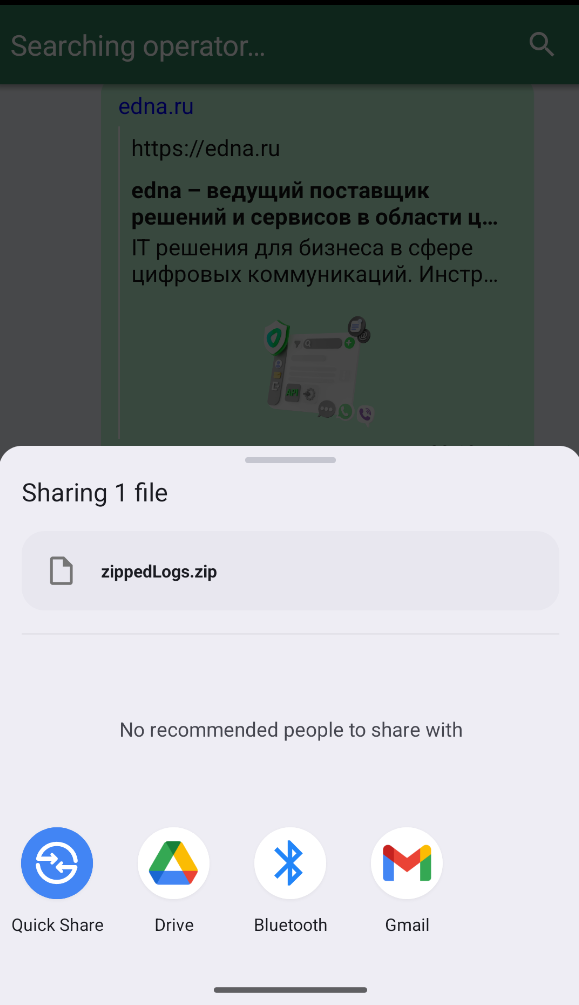
With shouldShowSendMenu = true (the default), the user can export logs right from the app: open the chat screen, shake the device — the "send logs" menu appears with a choice of sending method (mail, messenger, etc.). The scenario is intended for debug builds and QA — in production, disable shake via shouldShowSendMenu = false.
Shake result: log-send menu
On the emulator
The emulator does not respond to a physical shake; use the command:
adb emu sensor set acceleration 50:50:50; sleep 0.1; adb emu sensor set acceleration 0:0:0
Sometimes the emulator creates several archives in a row — send any one of them, ignore the rest.
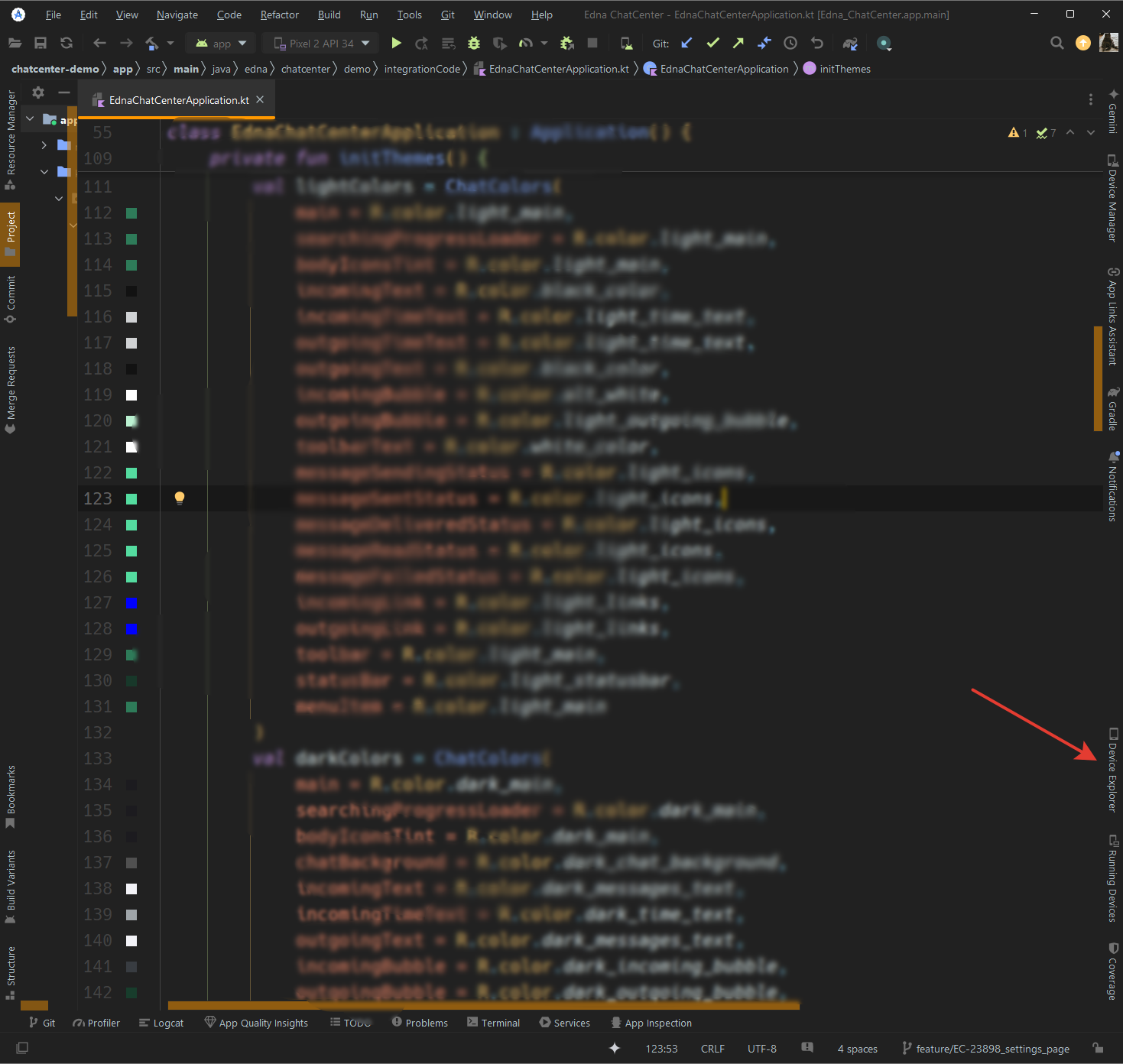
Direct access via Device Explorer
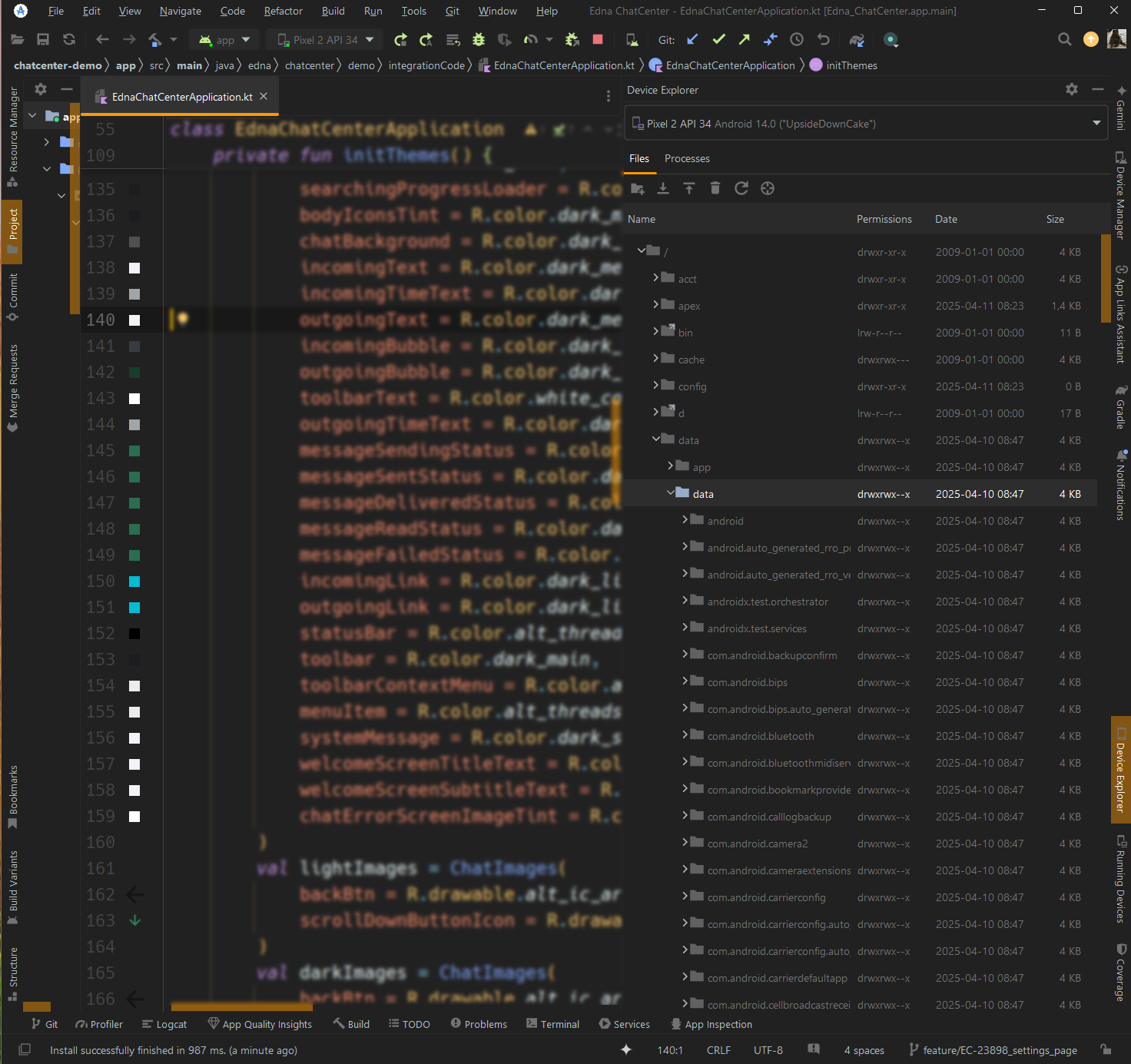
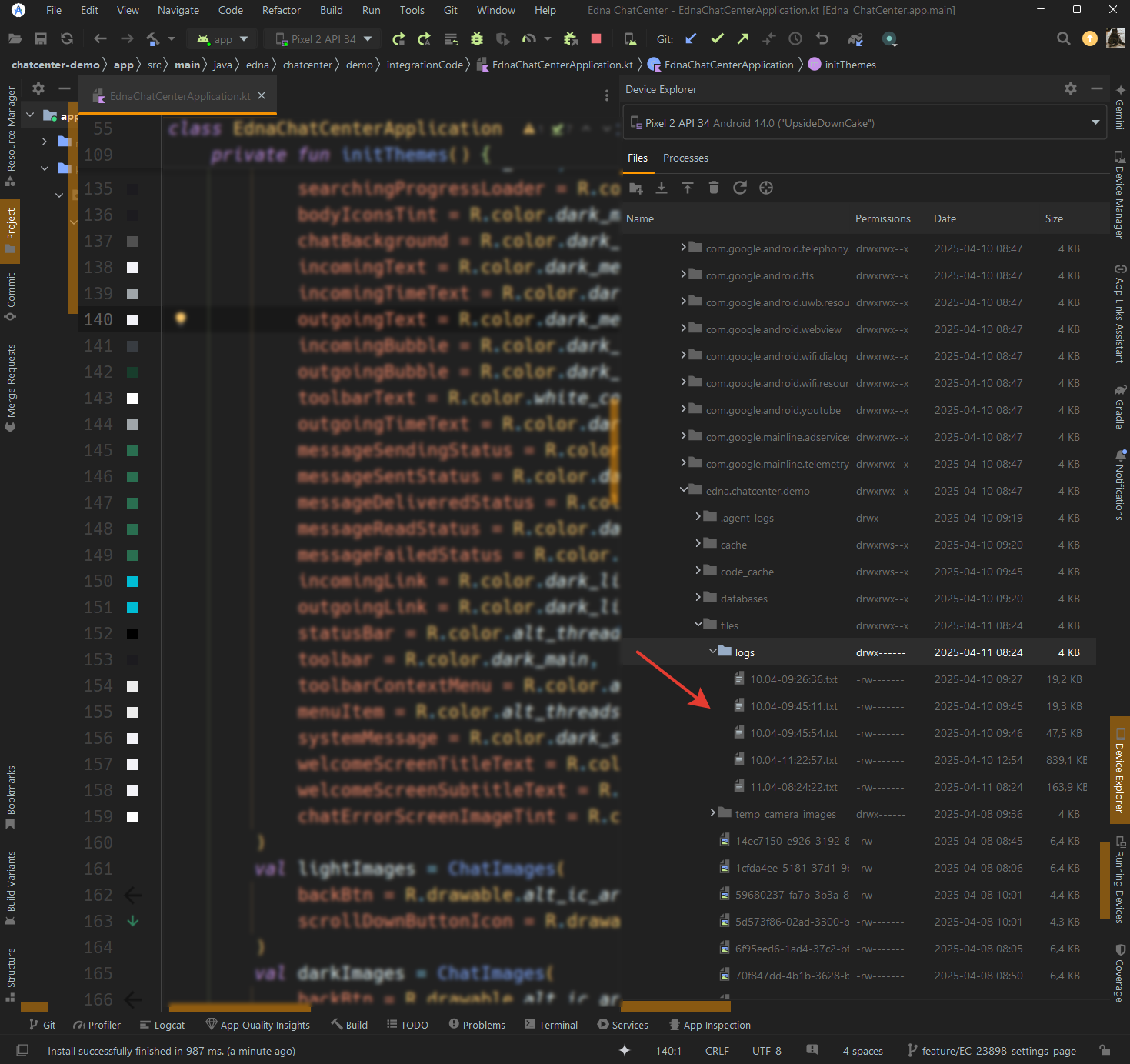
Connect the device to Android Studio, open View → Tool Windows → Device Explorer, navigate to data/data/<package>/files/logs/, and copy the files.
Location of the "Device Explorer" tab
"data/data" and "logs" folders
Related sections
- Advanced settings — release preparation recommendations, including
ChatLogLevel.ERRORin production. - SDK initialization —
ChatLoggerConfigis passed to theChatCenterUIconstructor. - A logger setup example in the demo app.